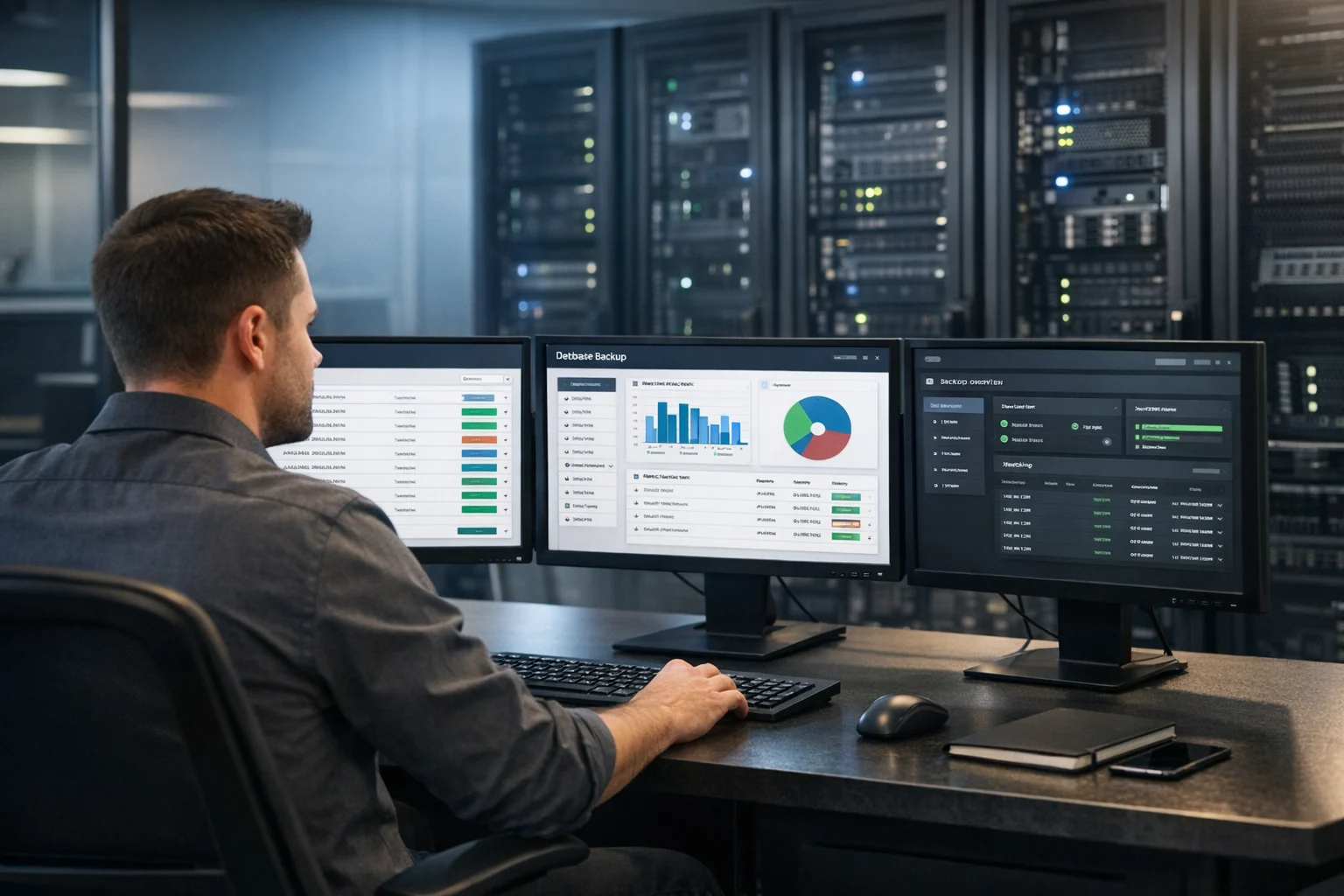
Server monitoring usually gets attention after something breaks. A site slows down during a paid campaign. A form stops sending leads. An SSL certificate expires over the weekend. A server runs hot, fills its disk, and suddenly your team is dealing with downtime instead of sales. If you've been there, you already know monitoring is not a nice extra. It helps protect revenue, reputation, and security.
At SiteLiftMedia, we work with businesses that rely on their websites and applications to support real growth. That includes companies investing in Las Vegas SEO, local SEO Las Vegas campaigns, custom web design, technical SEO, and ongoing website maintenance. When traffic rises, infrastructure weaknesses show up fast. Marketing teams may think they're buying visibility, but if the server stack is not being watched properly, that visibility can turn into a very public failure.
Good server monitoring is not just about checking whether a machine is online. It should answer three clear questions: is the server available, is it secure, and is it performing well enough to support the business? Once you frame it that way, configuration becomes much more practical. You are not collecting graphs just to collect them. You are building an early warning system.
This guide walks through how to configure server monitoring for uptime, security, and performance in a way that makes sense for business owners, marketing managers, and decision makers. If you're in Las Vegas, where campaign timing, seasonal pushes, redesign planning, and event traffic can create sudden load, these practices matter even more.
Start with the business impact, not the tool
Before choosing dashboards or alerting rules, define what actually matters to the business. Most monitoring setups fail because they are built around whatever the tool tracks by default instead of what the company needs to protect.
For a business website, the critical monitoring targets usually look like this:
- Public uptime so you know if the site, store, booking flow, or app is reachable from outside the network
- Core service health including web server, database, cache, queue workers, cron jobs, and email-related services
- Performance metrics such as response time, CPU, memory, disk I/O, load average, and network usage
- Security events including failed logins, privilege changes, unusual processes, malware indicators, and firewall activity
- Dependency health like DNS, SSL certificates, APIs, backups, and third-party integrations
If your team is spending on paid ads, social media marketing, backlink building services, or a spring content expansion plan, a server issue becomes a marketing issue very quickly. The same goes for companies using web design Las Vegas services or rebuilding a high-visibility site. Strong design and SEO can drive traffic, but system administration keeps that traffic from hitting a broken experience.
Monitor from the outside and the inside
One of the most common mistakes is relying on only one type of monitoring. External checks tell you what users experience. Internal checks tell you why something is going wrong. You need both.
External uptime monitoring
External monitoring checks your site from outside your infrastructure. This is how you catch outages that affect visitors, not just admins. Configure checks for:
- HTTP and HTTPS availability for your main website
- Key landing pages and conversion pages
- Login pages, checkout flows, and booking forms
- API endpoints that power mobile apps or front-end features
- SSL certificate expiration and DNS resolution
Use multiple probe locations if possible. A site that loads in one region but times out elsewhere still causes real business damage. For national brands and service businesses targeting Nevada, California, Arizona, and broader US markets, regional visibility matters. If you're pursuing search demand for phrases like SEO company Las Vegas or local service terms in multiple cities, you do not want search traffic landing on a page that is technically up but practically broken.
Internal server monitoring
Internal monitoring focuses on the server and application stack itself. This is where you catch resource bottlenecks, bad deploys, failed services, storage problems, and suspicious activity before they turn into outages.
At minimum, collect and visualize:
- CPU utilization and load average
- Memory usage, swap usage, and out-of-memory events
- Disk space, inode usage, and disk read or write latency
- Network throughput, dropped packets, and connection counts
- Web server request rates, error rates, and response times
- Database connections, slow queries, replication lag, and lock waits
- Container or VM health if you're using Docker, Kubernetes, or virtualization
This internal visibility is especially important during redesign planning, infrastructure cleanup, or growth periods when a site gets heavier because of more plugins, tracking scripts, media assets, or API integrations.
Pick the right metrics for uptime, security, and performance
Not every metric deserves an alert. Good monitoring separates information from action. Here is a practical way to think about it.
Uptime metrics that deserve immediate alerts
- Main website unavailable for more than one or two minutes
- Checkout, form, or lead capture endpoint failing
- Database service stopped or unreachable
- SSL certificate approaching expiration
- Disk space crossing a critical threshold
- Backup job failures
These events affect revenue or continuity directly. They should page the right person quickly, not sit in a dashboard waiting to be noticed.
Security metrics that should never be ignored
- Repeated failed SSH or admin login attempts
- New privileged users or unauthorized permission changes
- Unexpected ports opening
- File integrity changes in sensitive paths
- Malware signatures or rootkit indicators
- Sudden traffic spikes from suspicious sources
- Logins from unusual geographies or impossible travel patterns
If security monitoring is weak, downtime can become the least of your problems. A compromised server can quietly redirect traffic, inject spam, steal data, or damage search visibility for months. That is why monitoring should sit alongside server hardening, patching, and business website security standards. If you need to strengthen the hosting layer itself, SiteLiftMedia also covered secure website hosting and system administration best practices in more depth.
Performance metrics that connect to real business outcomes
- Time to first byte and full page response time
- PHP, Node, Python, or application worker saturation
- Database slow query growth
- Cache hit and miss ratios
- Queue backlog growth
- CDN origin latency
- Burst traffic behavior during promotions or email sends
These metrics matter because users feel them, and search engines do too. Technical SEO is not only about metadata and crawlability. Page speed, stability, and server responsiveness influence rankings, user engagement, and lead quality. If your business is investing in Las Vegas SEO but your infrastructure stalls under traffic, the campaign will not perform the way it should.
Set baselines before you set aggressive alerts
A lot of teams configure monitoring backwards. They install a tool, turn on every default alert, get flooded with noise, and then stop trusting the system. A better approach is to collect clean data first, understand normal behavior, and then create thresholds based on actual patterns.
Watch the environment for at least one to two weeks if possible. Longer is better if your traffic changes by day, season, or campaign cycle. During that period, note:
- Normal CPU ranges during quiet and busy periods
- Typical memory usage after deploys and traffic spikes
- Expected response time by page type or endpoint
- Regular cron activity and backup windows
- Usual bot traffic patterns
- Known heavy periods like launches, ad pushes, or monthly reporting days
For many Las Vegas businesses, traffic is not evenly distributed. Hospitality, entertainment, home services, legal, healthcare, and event-related companies often see sharp spikes around weekends, conventions, seasonal campaigns, and local promotions. Monitoring thresholds should reflect that. A server that looks fine at 11 a.m. on a Tuesday may struggle badly during a Friday campaign launch.
Once you understand the baseline, set thresholds in layers:
- Warning when a metric is trending toward a problem
- Critical when immediate action is needed
- Recovery when the service returns to a healthy state
This simple structure reduces confusion and makes alerts easier to route.
Build alerts that people will actually respond to
Alert fatigue is real. If everything is urgent, nothing is. The goal is to send the right alert to the right person with enough context to act.
Useful alerting configuration should include:
- A clear metric name and affected host or service
- The current value and the threshold that was crossed
- How long the problem has persisted
- A short description of business impact
- A runbook link or first action step
- Escalation rules if the alert is not acknowledged
For example, “CPU high” is not a very useful alert. “Checkout server CPU above 90% for 10 minutes, response time up 220%, error rate rising” gives a much better picture. That helps internal IT teams, MSPs, or agency support move faster.
Use different notification paths for different events. A failed backup or an expiring SSL certificate may belong in Slack or email during business hours. A site outage, database failure, or signs of compromise should page an on-call contact immediately.
Security monitoring should be part of system administration, not a separate afterthought
Many businesses think of monitoring as a performance issue and cybersecurity as a separate project. In practice, they overlap constantly. A brute force attack can create resource spikes. A compromised plugin can cause performance degradation. A web shell can open new processes, outbound traffic, and strange file changes that monitoring should catch.
Here are the security layers worth configuring on most production servers:
- Authentication logs for SSH, SFTP, control panels, database access, and admin dashboards
- Firewall and intrusion data from tools like UFW, iptables, fail2ban, cloud firewalls, or WAF platforms
- File integrity monitoring on web roots, config directories, and critical binaries
- Privilege escalation tracking for sudo use, new admin accounts, and service account changes
- Patch and package status so missing updates are visible before they become incidents
If your Linux access controls need attention, this guide on locking down SSH access on production Linux servers is a good companion to a monitoring plan. Access control and visibility should work together.
For organizations that handle sensitive data, take payments, or support multi-location operations, monitoring should also feed into broader cybersecurity services like log retention, audit trails, incident response, and penetration testing. That is often where business owners realize they need more than a plugin or a one-off setup. They need a managed process.
Don’t ignore application and database monitoring
Plenty of websites stay technically up while users still have a poor experience. The server responds, but pages are slow, dashboards hang, and forms lag. That usually points to the application or database layer.
For web applications and business sites, monitor:
- Application error logs
- 500 level response rates
- Slow transactions
- Worker process limits
- Queue delays
- Database slow query logs
- Connection pool exhaustion
- Replication or backup lag
This becomes especially important for WordPress, WooCommerce, Laravel, custom CMS builds, and integrated booking or CRM systems. A beautiful custom web design means very little if the application layer chokes every time traffic rises. If you need a more focused process for diagnosing these symptoms, SiteLiftMedia has also published a guide on troubleshooting slow server response times on busy websites.
Choose tools that fit your environment
You do not need an overly complex enterprise stack to monitor a business server well. You do need tools that match your environment and the skill level of the people maintaining them.
A practical setup often includes:
- External uptime platform for public checks, SSL alerts, and response time tracking
- Metrics collector for CPU, memory, disk, network, and service-level data
- Log aggregation for searchable logs across web, database, app, and security sources
- Alerting and routing tied to email, Slack, Teams, SMS, or paging tools
- Visualization dashboard so trends are easy to review before and after changes
Cloud environments may use native monitoring from AWS, Azure, or Google Cloud plus an external service for synthetic checks. Traditional VPS or dedicated server setups often benefit from a lightweight agent-based stack. Agencies and multi-client teams need tenant separation, naming standards, and alert ownership rules from the start.
If you run APIs, rate limiting and endpoint visibility should be built into the monitoring plan as well. That matters for mobile apps, custom integrations, and client portals where a failure might not be obvious from a homepage check alone.
Configure monitoring around changes, not just failures
Some of the most valuable alerts come from change tracking. Servers often break because something changed, not because hardware failed at random.
Monitor around these events:
- New deployments
- Plugin or package updates
- Firewall rule changes
- DNS edits
- Certificate renewals
- Server reboots
- Cron modifications
- User and permission changes
When a business calls saying the site slowed down after a redesign or infrastructure cleanup, the root cause is often clear if change events are logged and correlated with metrics. Without that history, troubleshooting takes longer and costs more.
Patch visibility is another area teams skip until it becomes painful. Outdated software can create both instability and security exposure. If your environment lacks that discipline, review SiteLiftMedia's article on why patch management matters for website security and fold patch status into your regular monitoring checks.
Use monitoring data to support SEO and marketing performance
This is where many business owners connect the dots. Server monitoring is not just an IT function. It protects marketing investment.
If your site slows down during a paid campaign, your cost per lead goes up. If landing pages time out during peak mobile traffic, conversion rates drop. If Googlebot hits repeated server errors, indexing and rankings can suffer. For businesses competing in Las Vegas search results, where local competition is intense, poor server health can quietly undermine months of SEO work.
That is why teams investing in Las Vegas SEO, local SEO Las Vegas, content expansion, backlink building services, and web design Las Vegas projects should ask one practical question: do we have monitoring that can prove the infrastructure is keeping up? If the answer is no, marketing performance is partly running on hope.
Strong monitoring also helps with reporting. You can compare traffic spikes to response time changes, track infrastructure health through redesigns, and explain exactly why certain optimization work matters. That makes conversations between marketing, development, and leadership much more productive.
What a solid monitoring rollout looks like
If you're starting from scratch, keep the rollout simple and structured.
Phase 1: Critical visibility
- Set up external uptime checks for the main site and key conversion paths
- Install internal monitoring for CPU, memory, disk, and network
- Alert on service failures, low disk space, SSL expiration, and backup failures
Phase 2: Performance insight
- Add application and database metrics
- Track response times by route or service
- Build dashboards around traffic spikes and resource pressure
Phase 3: Security visibility
- Centralize auth logs and firewall activity
- Monitor file changes and privilege events
- Create alerts for brute force patterns, suspicious processes, and unusual outbound traffic
Phase 4: Operational maturity
- Document runbooks
- Assign alert ownership
- Review thresholds monthly
- Test alerting during controlled maintenance windows
That process works well for small business websites, multi-location service companies, ecommerce stores, and growing organizations that need stronger system administration without building a large internal ops team.
If your current setup is pieced together, if alerts are noisy, or if your site is central to lead generation and sales, SiteLiftMedia can help you design a monitoring plan that protects uptime, security, and performance. If you're in Las Vegas or serving customers nationwide, reach out to map the right monitoring stack to your website, hosting environment, and business goals.
Photo Gallery