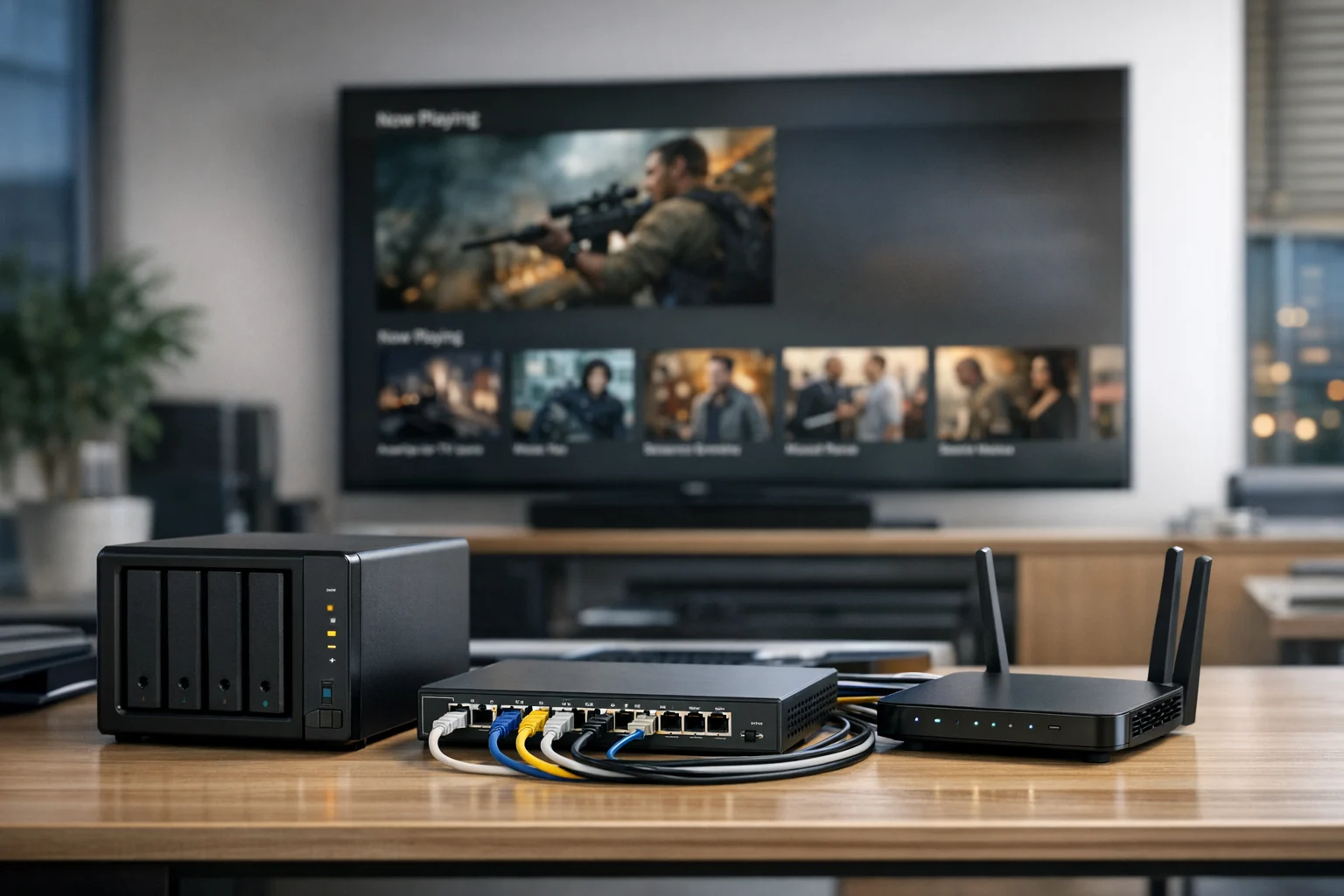
Choosing storage for a Plex server seems easy at first. Buy a big drive, load your library, and start streaming. That works for a while. Then the collection grows, more users log in, 4K files start eating space, and what looked affordable six months ago suddenly feels slow, cramped, and risky.
At SiteLiftMedia, we run into this more often than you might think. A company may come to us for web design Las Vegas work, technical SEO, website maintenance, or local SEO Las Vegas support, and somewhere in the conversation the media problem comes up. Their team has product videos, webinar recordings, ad creatives, training files, archived campaigns, and social content scattered across USB drives, desktops, and cloud folders. Plex becomes the easy way to organize and stream it, but storage is what decides whether the setup stays useful.
If you're a business owner, marketing manager, or operations lead trying to make a smart storage decision, the goal is not just buying more terabytes. You need enough capacity, enough speed, a sensible upgrade path, and the right level of protection. That matters even more when the server supports business content, not just personal media. In Las Vegas, we see this with hospitality brands, real estate groups, production teams, and fast-growing companies that need media access without constant babysitting.
Start with what your Plex server will actually do
The right storage choice depends more on usage than on specs alone. Before you price drives, define the job. I've seen people overspend on premium SSDs they never really needed, and I've also seen teams try to run a shared 4K library from a single external drive hanging off a mini PC. Neither setup holds up for long.
Ask these questions first:
- What kind of media are you storing? Movies and TV shows behave differently from internal training videos, screen recordings, raw camera footage, or ad exports.
- How large are your files? Compressed 1080p content is light compared to 4K remux files or high bitrate production assets.
- How many people stream at once? One local stream is easy. Several simultaneous streams with transcoding change the picture.
- Is Plex the only workload? Many servers also handle shared files, backups, downloads, or containers.
- Will remote users connect? Remote streaming adds network and security concerns, not just storage concerns.
- How fast is the library growing each month? Growth rate matters more than current size.
For a marketing team, this adds up quickly. A business producing social media marketing, video testimonials, podcast clips, and internal onboarding can generate hundreds of gigabytes in a single quarter without noticing. If you're also saving alternate cuts, source exports, and final delivery versions, capacity disappears fast.
Plan for three kinds of growth
When people say a Plex server is growing, they usually mean the library is getting bigger. That is only part of the story. A better way to think about expansion is capacity, performance, and reliability.
Capacity growth
This is the obvious one. If your library is 8TB today and you add 500GB to 1TB a month, you already know a 12TB usable setup will not last long. The mistake is buying only for today's needs. Storage migrations are annoying, time-consuming, and easy to put off until a drive is flashing red.
A few rough file size examples help:
- Compressed 1080p movie or long video: 5GB to 12GB
- Higher quality 1080p Blu-ray rip: 15GB to 35GB
- 4K movie: 20GB to 80GB or more
- 4K remux: 50GB to 90GB and sometimes higher
- One hour training or webinar export: 2GB to 10GB depending on codec and bitrate
- Raw or lightly compressed production footage: far higher than any of the above
Leave breathing room. Once an array gets too full, performance can suffer and upgrades become stressful. A practical rule is to keep 20 percent to 30 percent free space available when possible.
Performance growth
A library can fit on almost anything. Serving that library smoothly is a different story. More users, more simultaneous reads, more scans, and more metadata activity all put pressure on the system. If your Plex server has to transcode because people are streaming to different devices or across slower internet connections, that adds another layer.
The storage pool does not need to be blazing fast for every setup, but it does need to avoid obvious bottlenecks. Slow random access hurts metadata tasks. Weak network throughput makes a decent array feel sluggish. Running the whole system from a single consumer USB disk might be fine for a hobby setup, but not for a growing shared library.
Reliability growth
The more important the content becomes, the more expensive downtime gets. If Plex holds personal movies, an outage is annoying. If it stores sales demos, recorded training, campaign assets, or client media, the conversation shifts to system administration, backups, and recovery planning. That is where smart storage design pays off.
Choose the right media for the job
Most growing Plex servers should use a mix of storage types, not one type for everything.
- Hard drives: Best for bulk media storage. They offer the lowest cost per terabyte and are still the standard choice for large Plex libraries.
- SSD: Great for operating system files, Plex metadata, thumbnails, databases, and sometimes transcode directories.
- NVMe: Best when you want faster app performance, multiple services on one box, or heavier metadata workloads.
For most setups, hard drives should hold the media itself. SSD or NVMe should handle the system side. That split gives you speed where it matters and capacity where it matters. Putting the whole library on SSD usually makes little financial sense unless the library is tiny or the budget is unusually generous.
Drive type matters too. For a serious NAS or server, buy NAS-rated or enterprise-class CMR drives. Avoid SMR drives for active arrays when you can. They can behave badly during rebuilds and write-heavy workloads. If you're planning a 24/7 machine, that difference matters. I've seen rebuild times and consistency get ugly fast on the wrong drives.
Also pay attention to bay count. A 2-bay box can work for a starter setup, but a 4-bay or 6-bay system gives you room to grow without boxing yourself in. Expansion flexibility is often worth more than a slightly higher starting capacity.
Pick a storage layout you can expand without pain
There are three common ways to build a Plex storage setup that can grow with you: direct-attached storage, a dedicated NAS, or a full custom server.
Direct-attached storage is the simplest. You connect a DAS enclosure or external drive array straight to the Plex host. This works well for a single local user or a very small office. The downside is limited flexibility. Migration paths are usually clunkier, and you do not get the management features of a proper NAS platform.
A dedicated NAS is the sweet spot for many businesses and power users. Synology, QNAP, TrueNAS-based systems, and Unraid builds can all work well. A NAS gives you centralized storage, easier drive management, better sharing, and cleaner growth. If you want a deeper look at platform planning, SiteLiftMedia has a helpful TrueNAS storage server guide that covers the basics of building a reliable home lab style setup.
A custom server makes sense when Plex is only one service among many. If you're also hosting backups, internal file shares, containers, virtual machines, or automation tools, a custom box gives you more control. It also demands more attention. This is where professional system administration becomes valuable, especially when business users depend on the platform.
For business owners, I usually recommend thinking less about the prettiest hardware and more about future migrations. Ask which option lets you add drives, swap failed disks, increase usable space, and recover from mistakes without losing a weekend to disruption.
Decide how much usable space you really need
Raw capacity is not the same as usable capacity. The moment you add redundancy, formatted space, snapshots, and overhead, the numbers change. A four-drive setup with 12TB disks does not mean you have 48TB available. Depending on your RAID or parity approach, your usable space may be much lower.
A simple planning model works well:
- Current library size
- Expected growth for 12 to 24 months
- Redundancy overhead
- Safety buffer of 20 percent to 30 percent
Example: if you have 14TB today and expect to add 1TB a month, you are looking at 26TB after a year. Add room for redundancy and free space, and suddenly a 24TB usable target is already too small. That is why so many people regret buying the smallest enclosure they can get away with.
For agencies, creative teams, and brands producing video regularly, I often suggest planning for 18 to 24 months if the budget allows. That keeps your Q1 growth strategies or website refresh projects from colliding with an urgent storage migration right before launch.
Understand RAID, parity, and what they do not protect
Redundancy protects uptime. It does not replace backup. That distinction matters a lot.
If one drive fails in a redundant array, you can rebuild and keep going. If you delete the wrong folder, corrupt data, get hit by ransomware, misconfigure permissions, or lose the whole box to theft or electrical damage, RAID will not save you. Too many teams learn that the hard way.
For a growing Plex server that supports real business content, treat backups as mandatory. That may mean an external backup target, a second NAS, cloud backup for critical assets, or a mix of all three. Snapshots are useful. Offsite copies are better. If you're using TrueNAS or anything similar, our guide on how to secure TrueNAS and protect shared files is a good next read.
A practical approach looks like this:
- Use redundancy so a single drive failure does not take the server down
- Keep scheduled backups of important media and configuration data
- Store at least one backup copy somewhere else
- Test restores before you need them
If the media is replaceable entertainment content, your backup strategy can be lighter. If it includes client videos, training materials, or proprietary assets, it should be much stricter.
Fix bottlenecks outside the drive array
Not every Plex performance problem is a storage problem. A lot of them are not. People often blame the disks when the real issue is network speed, CPU limitations, or transcoding load.
Here are the big ones to watch:
- Network speed: Gigabit Ethernet is still fine for many Plex setups, but 2.5GbE or 10GbE can make a big difference if you move large files often or have multiple users.
- Transcoding hardware: Remote users and mixed devices can push the server hard. Hardware transcoding support matters.
- Metadata storage: Put Plex metadata and app files on SSD or NVMe if you want a noticeably snappier experience.
- Cache and temp locations: Transcode directories on SSD can reduce bottlenecks during active use.
If your team is local and streaming in the office, network consistency is usually the easy win. If users are spread across the country or traveling, remote bandwidth matters more than local disk speed. We see that with Las Vegas businesses that have staff in the field, event teams on the Strip, or partners accessing media from hotels and convention centers.
This is also why planning a Plex server should not happen in isolation. The same businesses asking for Las Vegas SEO, backlink building services, or a new custom web design project often need someone to look at the full environment. A media server, website, network, backup process, and business workflow all affect each other in real life.
Security matters more when Plex supports business content
If Plex is just for home use, security still matters. If Plex is connected to your business workflow, security becomes part of operations. Remote access, shared accounts, open ports, weak passwords, outdated plugins, and poorly configured NAS permissions can create real risk.
That is where cybersecurity services, server hardening, and business website security practices overlap with media infrastructure. The same company that trusts us for technical SEO audits, web design Las Vegas projects, or website maintenance often needs guidance on hardening the backend systems that support content. A growing media server should not become the weakest link in an otherwise well-run environment.
Some practical protections go a long way:
- Use strong unique credentials and multi-factor authentication where available
- Limit admin access
- Keep the NAS and Plex server patched
- Avoid exposing management interfaces directly to the public internet
- Use secure remote access methods
- Separate sensitive business shares from general media libraries
- Monitor logs and failed login activity
If your Plex host is also carrying other services, professional system administration helps reduce risk. In higher-sensitivity environments, penetration testing and a formal review of permissions, network exposure, and patching are worth the investment. SiteLiftMedia also recommends understanding why patch management matters for website security, because the same habit applies to servers and NAS platforms.
Practical buying tiers for a growing Plex server
Not everyone needs the same setup. Here are a few buying patterns that usually make sense.
Starter setup for a small office or serious home user
- 4-bay NAS or DAS
- 4 x 8TB or 4 x 12TB NAS drives
- Small SSD for OS, metadata, and transcode storage
- Gigabit or 2.5GbE networking
This tier works well when the library is still manageable, the user count is low, and growth is steady but not explosive.
Growth setup for a marketing team or content-heavy business
- 4-bay to 8-bay NAS or custom TrueNAS/Unraid server
- 12TB to 20TB CMR drives
- Dedicated SSD or NVMe for apps and metadata
- 2.5GbE or 10GbE if large file movement is common
- A clear backup target, local or offsite
This is often the right fit for companies running social media marketing campaigns, webinar libraries, training content, and a steady stream of creative exports.
Larger environment with multiple services and heavier use
- 8-bay or larger server chassis
- Higher-end CPU and enough RAM for parallel services
- Fast cache or app pool on NVMe
- 10GbE networking
- Documented backup and recovery plan
- Formal security review and access controls
This is where businesses should stop guessing and start designing the environment properly. If the media platform supports multiple teams or client work, downtime and data loss become far more expensive than the hardware itself.
Mistakes that get expensive later
There are a few storage mistakes I see again and again:
- Buying exactly enough space for today
- Choosing a 2-bay enclosure when a 4-bay model was affordable
- Using one large external USB drive as the whole strategy
- Ignoring backups because the array has redundancy
- Keeping metadata on slow storage
- Mixing casual home use security with business data exposure
- Skipping maintenance until a failure forces a rebuild
Another common problem is buying storage without thinking about who will manage it. If no one on your team wants to monitor SMART alerts, replace failed drives, check logs, and verify backups, get help from a team that does. That is the difference between a fun side project and an operational asset.
We see this often with companies that first engage SiteLiftMedia for an SEO company Las Vegas campaign, local SEO Las Vegas support, or a custom web design refresh, then realize the real bottleneck is operational. Their team creates more video than their infrastructure can handle. Once the storage issue is fixed, the content pipeline gets easier, and the marketing work gets easier too.
If you're planning a Plex server now, write down four numbers before you buy anything: your current library size, your monthly growth rate, your peak simultaneous streams, and how much of the content is actually business-critical. That short list will tell you whether a simple NAS is enough or whether you need a more serious build with stronger backups, server hardening, and ongoing system administration. If you want help designing the right setup, especially if you're in Las Vegas or managing teams nationwide, contact SiteLiftMedia and we can help you build storage that fits your growth instead of slowing it down.
Photo Gallery