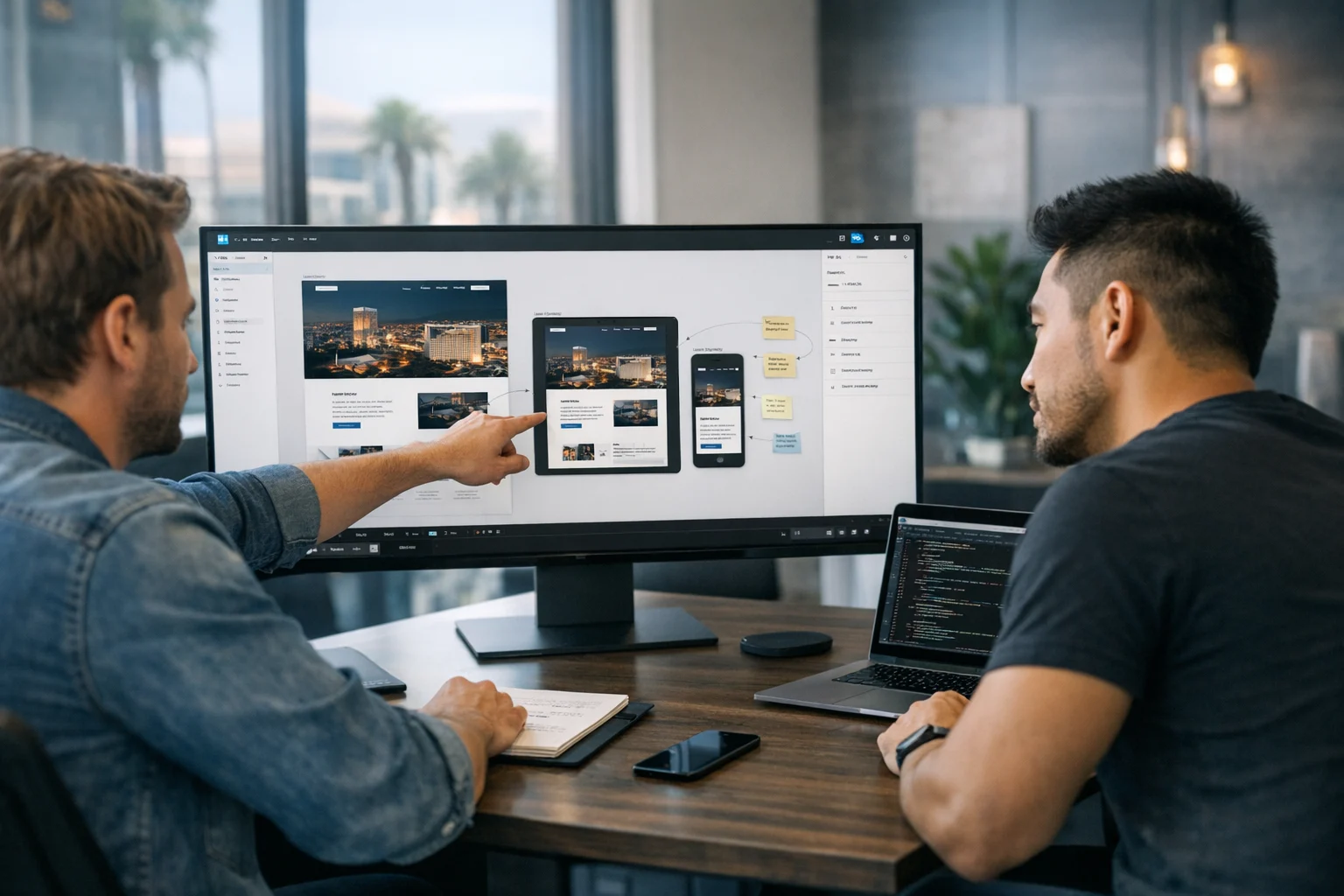
A website mockup can either move a project forward or quietly derail it. We’ve seen both. On one side, there are polished Figma files that speed up development, cut down revision cycles, and keep everyone aligned. On the other, there are attractive designs with no structure, no responsive thinking, no content plan, and no real connection to how websites are actually built.
If you’re a business owner, marketing manager, or decision maker planning a redesign, that difference matters. A mockup is not just a visual exercise. It’s the bridge between strategy and code. If it isn’t built with developers in mind, you’ll pay for it later through delays, unclear scope, design compromises, and a site that launches weaker than it should.
At SiteLiftMedia, we work with businesses nationwide, and we see this often in competitive markets like Las Vegas. Companies investing in web design Las Vegas, Las Vegas SEO, and lead generation campaigns need more than a nice homepage. They need a Figma mockup that accounts for content, responsive behavior, conversion flow, technical SEO, performance, and even security requirements before development begins.
Here’s how to create a website mockup in Figma that developers can actually build from, not just admire.
Why most website mockups break down in development
The biggest problem with many Figma files is simple. They’re designed like posters, not websites.
A static mockup can look impressive in a pitch meeting. But developers do not build static posters. They build systems with reusable components, responsive layouts, content rules, form behavior, accessibility requirements, and CMS limitations. If those realities are not reflected in the design, the handoff gets messy fast.
Common issues usually look like this:
- Desktop-only layouts with no mobile logic
- Inconsistent spacing and typography
- No component system for buttons, cards, forms, or navigation
- Placeholder copy that does not reflect real content length
- No indication of hover states, sticky elements, menus, sliders, or animations
- SEO-critical areas ignored, like heading structure, local landing pages, and internal linking
- Assets that are too large, poorly named, or not prepared for export
- No notes for forms, integrations, or conversion goals
That’s why the best mockups are created with implementation in mind from the start. A strong designer does not just ask, “Does this look good?” They also ask, “Can this be built cleanly, maintained efficiently, and ranked competitively?”
Start with business goals before you open Figma
Before you start drawing frames, get clear on what the website needs to do. It sounds obvious, but it gets skipped all the time.
If the site exists to generate leads, your mockup should prioritize lead paths. If the site supports a sales team, the layout should make qualification easy. If the business is investing in local SEO Las Vegas, the mockup should support location-specific pages, trust signals, and structured content that can rank.
Define the primary conversion actions
List the actions that actually matter to the business. For most service companies, that includes:
- Contact form submissions
- Phone calls
- Quote requests
- Booked consultations
- Demo requests
Once those are clear, map out where they appear in the layout. Your mockup should show the flow, not just the visuals. Developers need to understand where calls to action repeat, how forms behave, and what happens after submission.
Gather real content and SEO requirements early
A mockup becomes far more useful when it’s based on realistic content. That means actual service names, actual headlines, real trust indicators, and a clear page structure.
If your company is targeting terms like SEO company Las Vegas, custom web design, or backlink building services, those keyword themes should shape the page architecture. There’s no need to force exact-match phrasing everywhere. Just make sure your mockup leaves room for meaningful headings, supporting copy, FAQs, local proof, and internal links.
If you need help planning content before the design phase, this guide on how to use Figma to plan a website before development pairs well with the mockup process.
Set up your Figma file like a real production asset
A clean file structure makes the difference between a smooth handoff and a frustrating one. Developers, project managers, and other designers should be able to open the file and understand it quickly.
Start with separate pages inside the Figma file for:
- Brand assets
- Styles
- Components
- Wireframes
- Desktop mockups
- Mobile mockups
- Annotations and handoff notes
Name frames clearly. “Homepage Desktop” is better than “Version 7 Final New.” The same goes for layers, groups, and components. Good naming is not glamorous, but it saves time during development and future updates.
Use design tokens and shared styles
Create reusable color styles, text styles, spacing rules, and effects. If a developer has to inspect ten different shades of what should be the same blue, your mockup is already creating unnecessary friction.
Keep your system tight:
- Define heading styles from H1 through H6
- Set consistent body text sizes
- Use a limited spacing scale
- Create button variants for primary, secondary, hover, and disabled states
- Build input field components for forms
That structure helps developers build reusable code instead of patching together one-off fixes.
Build wireframes before high fidelity design
Jumping straight into polished mockups usually leads to expensive revisions. Wireframes let you solve layout, hierarchy, and content flow before brand styling enters the conversation.
At this stage, focus on:
- Navigation structure
- Section order
- CTA placement
- Trust elements
- Form locations
- Content depth
- Internal linking opportunities
For service businesses in competitive cities like Las Vegas, this is also where you decide whether the website needs dedicated location pages, service clusters, or industry pages. If your growth strategy includes Las Vegas SEO or broader national rankings, your wireframe should anticipate content depth instead of trying to squeeze it in later.
Wireframing also gives developers a chance to challenge impractical ideas early. That’s a good thing. A strong web team should be asking questions before the design is locked in.
Create high fidelity mockups with implementation in mind
Once the structure is solid, move into visual design. This is where a lot of teams get carried away. The goal is not to impress another designer. The goal is to create a mockup that can turn into a fast, functional, profitable website.
Design with a consistent grid
Use a layout grid and stick to it. If your sections ignore alignment rules, the final build becomes harder to code cleanly. A strong grid improves visual clarity and keeps spacing predictable across breakpoints.
Most business websites do not need wild layout experiments. They need trust, clarity, and fast comprehension. That matters even more for industries where users make quick decisions, including legal, healthcare, home services, hospitality, and B2B services in Las Vegas and beyond.
Use realistic content lengths
Short fake copy causes problems. Developers build around what they see. If your headline says three words but the real approved copy ends up being twelve, the layout may break.
Use content that is close to final whenever possible. This is especially important for:
- Hero headlines
- Service summaries
- Testimonials
- FAQ sections
- Pricing blocks
- Location-specific content
If your team is still working on messaging, SiteLiftMedia also has a helpful article on how to use ChatGPT for website copy that converts. It’s useful for getting stronger drafts into the mockup before development starts.
Show interaction states
Developers should not have to guess what happens when a user hovers over a button, opens the mobile menu, tabs through a form, or submits an inquiry.
Your mockup should include key interactive states such as:
- Button hover and active states
- Dropdown navigation open states
- Accordion open and closed states
- Form validation errors
- Sticky header behavior
- Modal or popup behavior
- Slider or carousel controls if they’re truly needed
If the design includes animation, describe the intent. Keep it practical. “Fade in on scroll, 200ms” is much more useful than expecting a developer to read your mind.
What developers need inside the Figma file
If you want your mockup to be build-ready, think beyond the artboard. Developers need a clear system, not just a final screen.
Here’s what should be included:
- Component library: Buttons, cards, nav items, inputs, badges, icons, section headers, testimonial layouts, and footer blocks
- Responsive versions: At minimum, desktop and mobile. Tablet logic can be noted if layouts scale predictably
- Spacing rules: Consistent paddings and margins between sections and elements
- Typography system: Sizes, line heights, weights, and usage rules
- Asset exports: Logos, icons, illustrations, and photos prepared appropriately
- Notes: CMS expectations, embedded tools, integrations, form destinations, and dynamic content behavior
- Page relationships: Which pages use shared sections and which are unique
One of the most helpful habits is annotating anything that may not be obvious from the layout itself. For example:
- This testimonial section should pull from CMS entries
- This CTA repeats on all service pages
- This image should be compressed and served in next-gen format
- This form should send leads to the sales inbox and CRM
That kind of context reduces assumptions, and assumptions are where budget leaks happen.
Handle responsive design before signoff
A lot of Figma mockups get approved too early because the desktop version looks great. Then mobile comes into play, and the whole project slows down.
Responsive design should not be treated like a cleanup task. It’s part of the design.
At minimum, create a thoughtful mobile version for every core template. That includes:
- Homepage
- Service page
- About page
- Contact page
- Blog or resource page
- Landing pages if they’re part of paid campaigns
For businesses running PPC, social media marketing, or seasonal promotions, mobile matters even more. Summer campaigns in Las Vegas, for example, often get traffic from users on the go. If your mockup does not account for thumb-friendly navigation, concise forms, and fast-loading visuals, conversions will suffer.
Use auto layout where appropriate. It will not solve every responsive issue, but it encourages better structure and makes your components easier to scale logically.
Build SEO and content strategy into the mockup
Design and SEO should never be separated on a serious business website. If you wait until after design approval to think about rankings, you usually end up fighting the layout.
A developer-friendly mockup should support:
- Clear heading hierarchy
- Logical content sections
- Internal link opportunities
- Space for FAQs and local proof
- Service and location page templates
- Schema-friendly content blocks
- Trust signals like reviews, awards, certifications, and case studies
For example, a business targeting SEO company Las Vegas or web design Las Vegas search intent should have room in the mockup for city relevance, service detail, and strong local conversion elements. Not generic “we serve Las Vegas” copy stuffed into the footer. Real supporting content that helps users trust the brand and helps search engines understand the page.
This is also where technical SEO decisions start to show up. Heavy imagery, unnecessary sliders, giant video backgrounds, and awkward heading use all create problems later. Good design supports fast hosting, clean markup, and crawlable content.
If your team wants a smoother transition from approved design to production, this article on turning a Figma design into a real website without losing quality is worth reading during the handoff stage.
Don’t ignore performance, security, and maintenance
Most mockup discussions focus on visuals and conversion. Those matter, but serious business websites also need to account for performance, security, and long-term upkeep.
That means your design choices should consider:
- Image weight and format
- Third-party script usage
- Form security and spam prevention
- Cookie banners and compliance needs
- Admin workflow and content updates
- Future website maintenance requirements
If the site is collecting leads, customer details, or payment-related information, business website security matters from day one. That can involve secure form handling, access controls, limited plugin dependency, server-level protections, and planning for ongoing updates.
At SiteLiftMedia, we often help clients who came in for web design but also needed broader support like cybersecurity services, penetration testing, system administration, and server hardening. Those services may sound separate from mockups, but they are closely connected. A redesign affects your attack surface, hosting setup, and operational workflow. If the new site adds integrations, admin users, payment features, or complex forms, that should be considered before launch.
For businesses preparing a redesign, this guide on reducing website attack surface before a redesign is a smart companion read.
Common Figma mockup mistakes that cost time and money
Some mistakes show up again and again, especially when teams are moving fast or trying to save money upfront.
- Approving only the homepage: Internal pages are where projects often break down
- Using too many unique layouts: Developers can build anything, but too much variation raises cost and complexity
- Ignoring content reality: Real businesses need editable, scalable content blocks
- Designing around trends instead of usability: Fancy effects do not fix weak messaging
- Skipping developer input: Handoff should not be the first time engineering sees the design
- Forgetting future marketing: The site should support SEO, landing pages, blog growth, and campaign expansion
If you’re investing in a redesign to support lead generation, backlink building services, email campaigns, local service pages, or stronger content marketing, your mockup should be built for growth. The website should not need a structural overhaul every time marketing wants to launch something new.
When it makes sense to bring in an agency
You can absolutely create a useful Figma mockup in-house if your team understands strategy, UX, SEO, responsive design, and development realities. But many businesses hit a point where DIY planning starts costing more than expert help.
An agency is usually the right move when:
- The website needs to rank in competitive search markets
- The redesign has to support multiple services or locations
- The internal team keeps getting stuck between design and development
- The business needs stronger conversion strategy, not just visuals
- There are security, hosting, or infrastructure concerns tied to the build
That’s especially true in high-competition markets like Las Vegas, where businesses often need design, SEO, content, performance, and local positioning working together. A mockup for a brochure site is one thing. A mockup for a company competing in local SEO Las Vegas, running paid campaigns, and trying to generate qualified leads is another.
SiteLiftMedia helps businesses bridge that gap with strategy-first design, development-ready Figma workflows, SEO planning, and the technical support needed to launch confidently. Whether you need custom web design, a redesign that supports Las Vegas SEO, or a broader digital stack that includes security and infrastructure planning, the process gets much easier when the mockup is done right from the start.
If your current Figma file looks good but still leaves your developers guessing, that’s the problem to fix next. If you want a team that can handle the mockup, the build, the SEO, and the real-world details that come with launch, contact SiteLiftMedia and start with a plan your developers can actually use.
Photo Gallery













