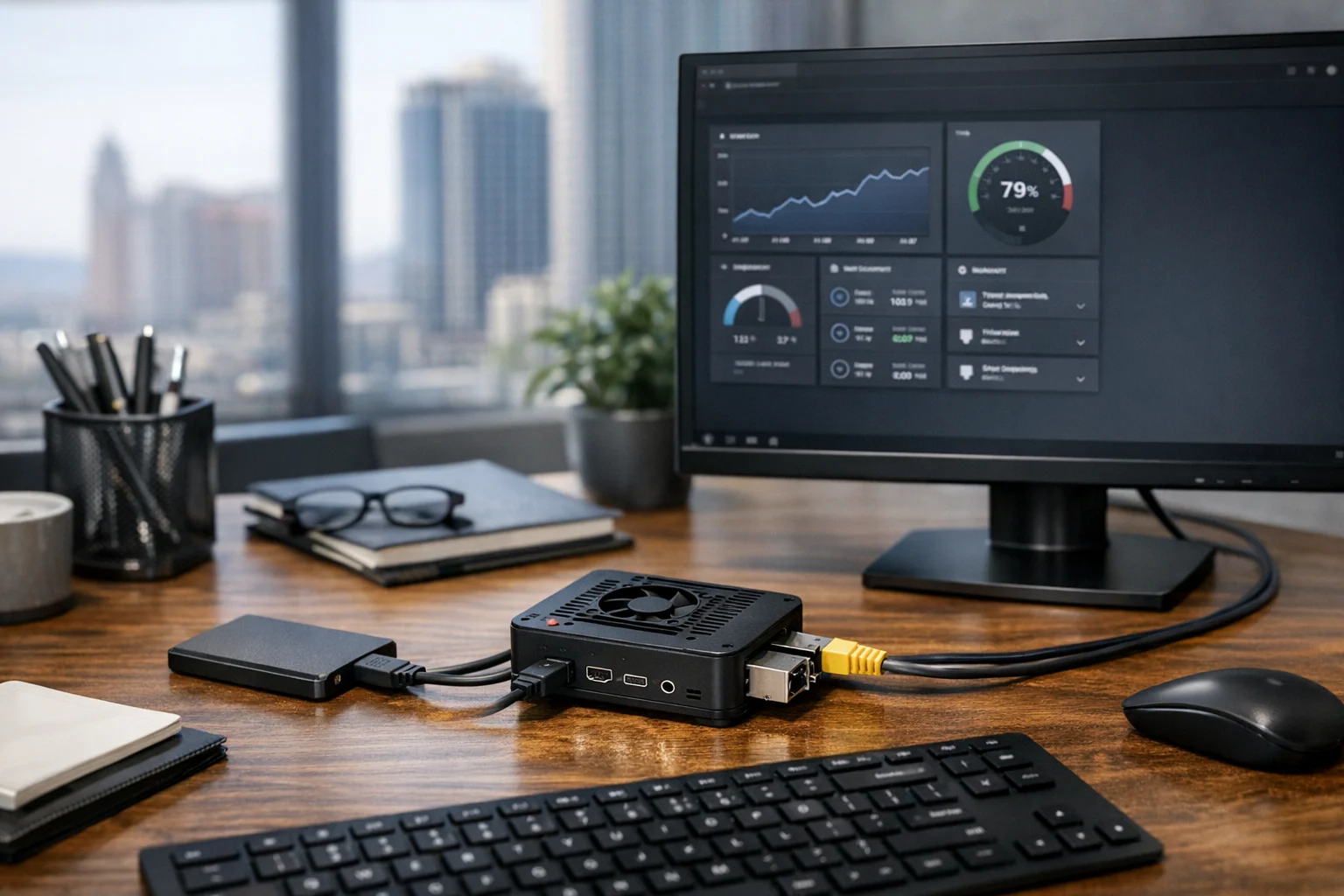
A Raspberry Pi can do a lot more than most people expect. Many business owners first hear about it as a hobby board for tinkering, but in the real world it can be a quiet, reliable workhorse for digital signage, internal dashboards, file sync, network monitoring, office automation, and lightweight server tasks. At home, it can run media tools, backups, ad filtering, or a smart control panel. In a business setting, it can solve small operational problems without adding a full-size server to the budget.
We’ve seen Raspberry Pi setups become genuinely useful when they start with a clear purpose. That’s the real difference. If you buy one because it sounds interesting, it may end up in a drawer. If you buy one to power a front desk display, monitor a network cabinet, host a lightweight internal tool, or support a campaign dashboard, it starts paying for itself pretty quickly.
For companies in Nevada, especially around Las Vegas, there’s another factor worth thinking about. Small devices are great for offices and retail environments where space matters, but the desert climate makes power, cooling, and hardware choices more important than many people realize. A Raspberry Pi in a sealed cabinet near a sunny storefront window will not behave the same way as one sitting in a climate-controlled office. If you want a stable setup, those details matter.
If you want to put a Raspberry Pi to work for useful home or business projects, here’s how to set it up properly from the start.
Why a Raspberry Pi still makes sense
The biggest advantage is simple: it gives you a low-cost, low-power, always-on computer that can handle specific jobs very well. It won’t replace enterprise infrastructure, and it shouldn’t be pushed into roles it wasn’t built for. But for lightweight services, local automation, dashboards, or edge devices, it’s hard to beat.
That makes it especially practical for small businesses, agencies, retail shops, medical offices, restaurants, and multi-location teams. If you’re a marketing manager, office administrator, or owner-operator, you probably have a list of tasks that matter but do not justify a full server deployment. A Raspberry Pi fits neatly into that gap.
Examples include:
- Running digital signage in a lobby, waiting room, trade show booth, or showroom
- Hosting a lightweight internal dashboard for sales, support, or campaign reporting
- Monitoring uptime, internet connectivity, or local network devices
- Acting as a secure jump box or utility node for IT tasks
- Providing ad filtering or DNS control for a small office network
- Handling file sync, scheduled backups, or device automation
For businesses focused on growth, that kind of utility supports the bigger picture. It won’t replace technical SEO, custom web design, or social media marketing, but it can support the internal operations that keep those efforts organized and visible.
Choose the right Raspberry Pi and accessories
Before you install anything, get the hardware right. This is where a lot of bad experiences begin. People buy the cheapest bundle they can find, power it with a random charger, and then blame the Pi when it behaves unpredictably.
Recommended hardware for most practical projects
- Raspberry Pi 4 or Raspberry Pi 5 for most business and home use
- Official power supply with the correct wattage
- High-quality microSD card for light-duty use, or better yet an SSD for reliability and speed
- Case with ventilation, especially in warmer environments like Las Vegas garages, retail cabinets, or network closets
- Ethernet connection whenever possible for stability
- Micro HDMI cable, keyboard, and mouse if you want a direct setup, though a headless setup is often cleaner
If this is going into a business environment, don’t cut corners on storage or power. A flaky SD card can corrupt a system after a power event, and underpowered USB accessories can create strange issues that waste hours.
Which model should you buy?
If you’re starting fresh, a Raspberry Pi 4 with 4GB or 8GB of RAM is still a solid choice for server-style tasks, signage, dashboards, and Docker-based tools. A Raspberry Pi 5 gives you better performance and feels noticeably snappier for heavier projects. For simple sensor logging or very light background tasks, lower-end models can work, but for business use I’d rather spend a little more and avoid resource bottlenecks later.
Install the operating system the smart way
The easiest path is Raspberry Pi OS. It’s stable, well documented, and easy to support later. Unless you already know you need something else, start there.
Step 1: Download Raspberry Pi Imager
From another computer, download Raspberry Pi Imager from the official Raspberry Pi site. Insert your microSD card or connect your SSD, then open the imager.
For most use cases:
- Choose Raspberry Pi OS Lite if this will be a server, network utility, Docker host, or headless device
- Choose Raspberry Pi OS with Desktop if this will be a kiosk, signage display, or local workstation
Step 2: Use the advanced setup options before flashing
This is one of the biggest time savers in the process. Before writing the image, open the advanced options and set the basics now:
- Hostname
- Username and strong password
- Enable SSH
- WiFi settings if Ethernet is not available
- Time zone and keyboard layout
For a business deployment, name the device clearly. Something like frontdesk-signage-01 or office-monitor-01 is much better than a vague hostname you’ll forget later.
Step 3: Flash the image and boot the Pi
Write the image, insert the storage into the Raspberry Pi, connect network and power, then let it boot. If you enabled SSH, you can usually connect from another machine right away. If not, connect a monitor and keyboard to finish the first login.
Once you’re in, update everything immediately:
sudo apt update
sudo apt full-upgrade -y
Then reboot:
sudo reboot
Lock down the basics before you start adding projects
This is where home users often cut corners, and businesses really shouldn’t. If your Raspberry Pi is going to stay on the network full time, treat it like any other computer.
Set up strong access and remote management
- Use a unique username and password
- Prefer SSH keys instead of password-only logins
- Reserve a static IP on your router or firewall so the device address does not keep changing
- Disable services you do not need
- Keep the system updated regularly
If this device will support business operations, document the login method, hostname, IP address, storage location, and purpose. It sounds basic, but undocumented small systems have a way of becoming mystery boxes six months later.
Think about network exposure carefully
Don’t rush to open ports to the internet just because you want remote access. In many cases, a VPN or secure remote management layer is the better option. If you’re planning to expose a Raspberry Pi externally, harden it first and understand the risk. That matters even more if the device touches internal files, office credentials, or customer data.
This is one reason a lot of companies eventually bring in help for system administration, server hardening, penetration testing, or broader cybersecurity services. A small device can still create a big problem if it’s misconfigured. Business website security and internal network security overlap more than many people think.
Decide what job the Raspberry Pi will do
The best Raspberry Pi setups start with one clear role. You can always expand later, but the first project should have a defined purpose and a measurable payoff. Here are some of the most useful options for home and business use.
1. Build a lightweight internal server
This is one of the most practical uses. A Raspberry Pi can host an internal wiki, a simple file share, a local app, a monitoring panel, a development tool, or a small business utility that does not need public traffic. For agencies and operations teams, that can mean an internal content calendar, QA checklist app, or campaign tracker.
If you want a more detailed walkthrough, SiteLiftMedia has a guide on turning a Raspberry Pi into a lightweight server that pairs well with this setup process.
This kind of project is useful for marketing departments, operations teams, and even an SEO company Las Vegas businesses rely on for campaign support. It gives teams an inexpensive platform for internal tools without pushing every small task into a costly cloud stack.
2. Run Docker for cleaner app management
If you think you may want to run several tools on one Pi, Docker makes life easier. Containers let you separate apps, keep deployments cleaner, and make upgrades less messy. For example, you could run a dashboard, uptime monitor, and file sync tool on the same device without stacking everything directly onto the base OS.
For people who want a practical self-hosted setup, SiteLiftMedia also covers how to install Docker on a Raspberry Pi for self hosting.
In a business environment, Docker is a nice step up from ad hoc installs. It helps when someone else eventually inherits the device and needs to understand what’s running.
3. Create digital signage or a kiosk display
This is a strong fit for front offices, reception areas, waiting rooms, and trade shows. A Raspberry Pi can power a looping presentation, internal dashboard, video menu, appointment display, or web-based kiosk. For Las Vegas businesses in hospitality, entertainment, real estate, and retail, this is often the fastest project with the most visible impact.
You can use Raspberry Pi OS with Desktop, set Chromium to launch in kiosk mode, and point it at a web page or dashboard. That page might display:
- Promotions or specials
- Live wait times
- Lead tracking dashboards
- Office announcements
- Campaign performance snapshots
If your company is already investing in web design Las Vegas services or custom web design for in-store experiences, a Pi-based kiosk can extend that work into the physical space without requiring expensive signage hardware.
4. Use it for uptime monitoring and internal visibility
A Raspberry Pi makes a great always-on monitor for websites, landing pages, internet connectivity, and office equipment. This is especially useful during spring marketing pushes, seasonal promotions, redesign planning, and content expansion, when more moving parts usually means more chances for something to break.
Marketing managers do not always need a big enterprise NOC screen. Sometimes they just need to know whether a campaign landing page is down, whether a lead form is responding, or whether a branch office lost connectivity. A Pi can run monitoring tools that keep those answers visible without overcomplicating the setup.
This is where business goals connect back to agency work. Your Raspberry Pi won’t replace Las Vegas SEO strategy, local SEO Las Vegas campaign execution, backlink building services, or technical SEO, but it can absolutely support the infrastructure and visibility that keeps those initiatives on track.
5. Set up local DNS filtering or safe browsing controls
At home, this is great for cleaner browsing and blocking known ad and tracking domains. In an office, it can also improve focus and reduce some low-level risks. It is not a complete security stack, but it can be a useful layer.
For small teams, especially in shared office environments, a Raspberry Pi running DNS filtering can become a practical quality-of-life upgrade. Just make sure someone on the team understands how it’s configured and what to do if a blocked domain affects a workflow.
6. Handle backups, file sync, or edge storage
If you need a place for light backups, small media assets, reports, or synchronized files between a few machines, a Raspberry Pi with an SSD can handle the job well. I wouldn’t use it as the only storage system for mission-critical data, but as a secondary utility device it can be very effective.
This is common in small offices where teams need a local holding area for brochures, design proofs, social media marketing assets, or internal forms. It’s also a smart fit for home offices that want simple backup automation without running a noisy desktop all day.
7. Monitor environment and equipment conditions
One underrated business project is using a Raspberry Pi to watch temperature, humidity, power state, or basic equipment health. In Las Vegas, that can be especially useful in AV cabinets, back offices, server closets, garages, or retail spaces where heat quietly becomes a problem.
If you have network gear, media equipment, or on-site hardware that tends to struggle in summer, a Raspberry Pi can help you spot patterns before they turn into outages.
Practical setup choices that prevent future headaches
Once the Pi is running, a few small decisions make a big difference.
Use Ethernet when stability matters
WiFi is convenient, but if this device is doing anything important for the business, Ethernet is the better option. Signage, monitoring, internal services, and backup tasks all behave better on a wired connection.
Prefer SSD storage for serious use
MicroSD cards are fine for testing, but SSD storage is more reliable and faster. If the project is meant to stay in place for the long term, move to SSD early.
Document the setup
Create a short internal note with the hostname, IP, purpose, admin method, installed services, and where the power adapter is plugged in. That sounds almost too simple to mention, but it saves a surprising amount of time.
Put it on a small UPS if uptime matters
Power blips happen. If the Pi is doing something customer-facing or operationally important, even a modest battery backup is worth considering.
Common mistakes people make with Raspberry Pi projects
- Using a no-name power adapter and dealing with unstable behavior
- Leaving it on a cheap microSD card forever instead of moving to SSD for important projects
- Exposing ports directly to the internet without understanding the security implications
- Trying to make it do everything instead of assigning one clear role first
- Skipping updates and documentation until the device becomes a black box
- Running business-critical public apps on it when a proper cloud or server environment is the better choice
I’d add one more mistake here: buying a Raspberry Pi when what you really need is a larger infrastructure plan. If you’re trying to support a growing office, multiple locations, a secure internal lab, or more complex virtualized services, it may be time to look beyond a single-board computer. In those cases, SiteLiftMedia’s guide on setting up Proxmox for a small business home lab is a useful next step.
When a Raspberry Pi is the right answer and when it isn’t
A Raspberry Pi is a smart choice when you need a low-power device for a focused task that can run quietly in the background. It’s excellent for signage, monitoring, utility services, internal tools, automation, and lightweight network functions.
It is not the right choice for every business problem. I would not use one as the primary host for a revenue-critical ecommerce site, a large public database application, a busy production SaaS tool, or anything where downtime has a direct financial consequence. That’s where proper hosting, stronger hardware, managed infrastructure, and a real support plan matter.
That distinction is important for decision-makers. A Raspberry Pi is best used to simplify small tasks, not to avoid larger strategic technology decisions.
How this fits into bigger digital growth plans
For many businesses, a Raspberry Pi project starts as a small technical win and then opens the door to bigger opportunities. A front desk kiosk can improve in-office lead capture. A local monitoring device can uncover website issues that point to needed website maintenance. A secure internal utility can reveal gaps in system administration or business website security. A campaign dashboard display can show that reporting needs to be cleaner across paid ads, social media marketing, and SEO.
That’s where SiteLiftMedia comes in. We help businesses connect the practical side of tech with the growth side. If your team needs more than a one-off device setup, we can help with Las Vegas SEO, local SEO Las Vegas strategy, technical SEO, custom web design, web design Las Vegas services, website maintenance, system administration, server hardening, penetration testing, and broader cybersecurity services. For companies planning a redesign, cleaning up aging infrastructure, or preparing for a seasonal marketing push, that joined-up view matters.
If you’re considering a Raspberry Pi for a useful home or business project and want to make sure it fits into a smarter, more secure setup, contact SiteLiftMedia. We can help you decide whether a Pi is the right tool, map out the project, and support the website, security, and infrastructure work around it so it actually helps move the business forward.
Photo Gallery













