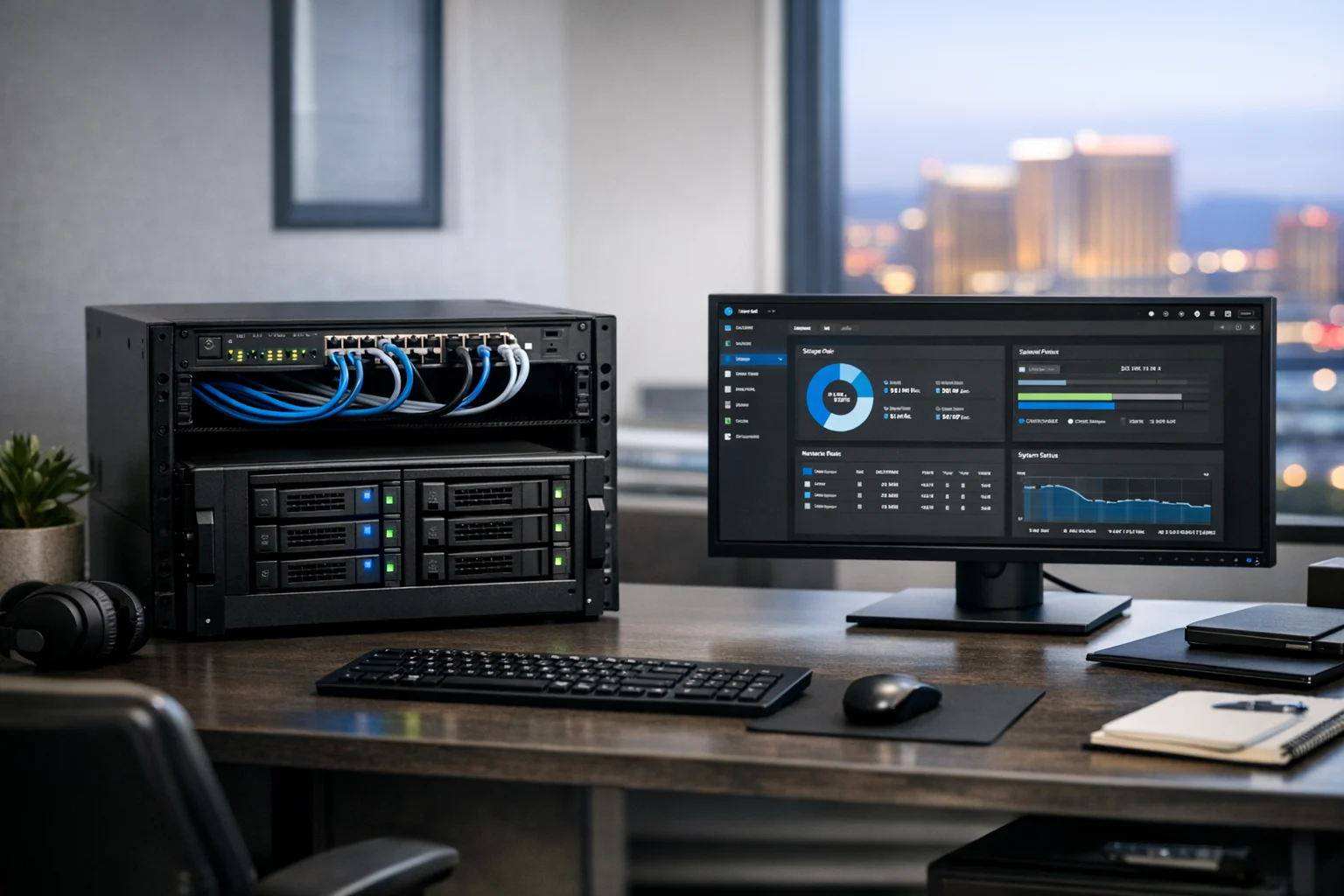
TrueNAS is one of the best tools for dependable home lab storage without relying on a messy pile of scripts, random USB drives, and hope. If you need to keep client assets, website backups, media libraries, VM images, or internal files safe and organized, it gives you a solid foundation that still feels approachable once you know the basics.
At SiteLiftMedia, we work with businesses across the country, including many clients in Las Vegas, Nevada, that need stronger systems behind their websites, marketing operations, and internal workflows. That covers everything from website maintenance and technical SEO to cybersecurity services, system administration, and server hardening. A home lab storage server can be a practical place to test infrastructure ideas before they touch production, especially if you run a growing business and want more control over files, backups, and uptime.
If your current setup is a few external hard drives scattered around a desk, or important documents living on a single workstation, TrueNAS is a major step up. The goal is not just to make storage work. The goal is to make it reliable, recoverable, and predictable.
Why TrueNAS works so well in a home lab
What makes TrueNAS stand out is ZFS. ZFS is the file system and volume manager behind TrueNAS’s reputation for data integrity, snapshots, and strong storage management. In plain terms, it helps protect data from corruption, gives you flexible storage options, and makes backups and rollback much easier than the average DIY NAS setup.
That matters in a home lab because you are usually doing more than one thing with the same box. You might store design files, keep a backup target for office PCs, host ISO images for testing, save exports from ad campaigns, or maintain archives from a web design Las Vegas project before launch. You might even use it to store copies of local SEO Las Vegas reporting, social media marketing creatives, or analytics exports before your Q1 growth strategies kick off.
TrueNAS is especially useful when you want:
- Redundant storage with predictable behavior
- Snapshot based recovery for accidental deletion or ransomware protection
- Shared folders for teams, contractors, or devices
- A backup target for computers, servers, or websites
- Centralized management instead of scattered storage
What it is not, is magic. TrueNAS can make your storage infrastructure much stronger, but it still needs proper hardware, careful pool design, and a real backup plan.
Start with the right hardware, not the cheapest hardware
This is where a lot of home lab builds go sideways. People spend hours comparing apps and dashboards, then install TrueNAS on the oldest machine they can dig out of a closet. That might be fine for testing, but not for reliability.
If you want a dependable storage server, pay attention to these basics:
Use decent drives
Use matching hard drives when possible, preferably NAS or enterprise grade models from a reputable line. Mixed consumer drives can work, but they often age differently and create avoidable headaches. If uptime matters, skip random old disks with unknown health.
Use an SSD for the boot device
TrueNAS should boot from a dedicated SSD, not from one of the data drives. Keep your boot environment separate from your storage pool.
Don’t skimp on RAM
ZFS likes memory. You do not need a monster server to get started, but 16 GB is a practical baseline for many home lab builds. More helps if you are handling larger datasets, lots of snapshots, or extra services.
Prefer wired networking
Use gigabit Ethernet at a minimum. If you work with large media files, local backups, or multiple users, 2.5 GbE or 10 GbE can make a noticeable difference.
Use a UPS
Unexpected shutdowns are rough on storage systems. A battery backup is one of the simplest upgrades you can make if reliability is the priority.
For business owners, this is the same mindset we bring to business website security and server hardening. Stable infrastructure is not glamorous, but it saves money quickly when something goes wrong.
Install TrueNAS with a storage first mindset
Once your hardware is ready, install the latest stable version of TrueNAS and keep the first setup simple. Resist the urge to turn it into an all in one appliance on day one.
After installation, access the web interface from another machine on your network. Assign a static IP address as early as possible so your shares and services do not move around later.
During initial setup, focus on these items:
- Set a strong admin password
- Update to the latest stable release
- Configure a static IP
- Set your correct time zone and NTP
- Enable email alerts or another notification method
Those last two are easy to ignore until a pool reports issues or a drive throws SMART warnings. Then you’ll wish you had alerts enabled from the start.
If you plan to expose any services beyond your LAN, be careful. A home lab NAS should not be casually opened to the internet. At SiteLiftMedia, we regularly see convenience quietly override security. That is true for NAS platforms, websites, and cloud apps alike.
Create your storage pool carefully
This is the part that matters most because changing it later can be disruptive. In TrueNAS, your pool layout determines the balance of capacity, performance, and fault tolerance.
The two common options for home lab users are mirrors and RAIDZ.
Mirrors
A mirrored vdev is like RAID1. Two drives hold the same data. It is easy to understand, performs well, and stays flexible if you want to expand later by adding another mirrored pair.
Mirrors are a great fit if:
- You value simplicity
- You want strong read performance
- You plan to grow the pool in stages
RAIDZ1 or RAIDZ2
RAIDZ is similar to RAID5 or RAID6 in concept, but with ZFS handling things differently behind the scenes. RAIDZ1 can survive one drive failure. RAIDZ2 can survive two. For larger arrays or larger disks, RAIDZ2 is usually the safer option.
If your storage server will hold important business assets, archived site files, campaign exports, or client deliverables, lean toward more redundancy. Storage is cheaper than rework.
One practical tip from experience, do not build a pool without a clear reason for the layout. Write down what you need the server to do, how much usable space you want, and how much downtime or rebuild risk you can tolerate. A home lab is where good infrastructure habits begin.
Use datasets instead of dumping everything into one share
After your pool is created, do not throw every file into one giant folder. Create datasets for different kinds of data. This is one of the most useful TrueNAS habits you can build because datasets give you granular control over permissions, compression, snapshots, and quotas.
A simple structure might look like this:
- backups
- media
- marketing-assets
- website-archives
- vm-images
- team-shares
That separation matters. Your website archives may need frequent snapshots. Your media library may benefit from different compression behavior. Team shares may need tighter permissions than a general backup target.
For companies handling content production, SEO reporting, or development files, this kind of structure makes day to day use easier. It also makes recovery much easier when someone deletes the wrong folder on a Friday afternoon.
Set up file sharing the right way
Most home lab users will use SMB for Windows and mixed office environments. NFS can be useful for Linux systems, virtualization hosts, or development workflows. TrueNAS supports both well.
When creating shares, keep permissions clean and intentional. Avoid using one all powerful account for every device and person. Instead:
- Create named users or groups
- Assign access by dataset
- Use read only access where possible
- Test shares from client devices before rolling them out fully
If you have a small team, this can still stay simple. A marketing manager may only need access to reports and assets, while your developer may need a separate share for deployment bundles, staging backups, or server configs.
That structure mirrors what we recommend in broader system administration work. Good access control is not just for enterprises. It is basic operational hygiene.
Snapshots are where TrueNAS becomes a real safety net
If you only do one thing beyond basic sharing, make it snapshots. Snapshots preserve the state of a dataset at a specific point in time. They are fast, space efficient, and incredibly useful.
They help with:
- Accidental file deletion
- Bad edits or overwrites
- Ransomware recovery
- Version rollback
A solid starting point for many home labs is:
- Hourly snapshots kept for 24 hours on active datasets
- Daily snapshots kept for 2 to 4 weeks
- Weekly snapshots kept for 1 to 3 months
Adjust based on your storage capacity and how often files change. Design assets, spreadsheets, website exports, and campaign documentation often benefit from more frequent snapshot coverage than bulk media.
If you want a deeper look at tightening security around shared files, SiteLiftMedia has a helpful guide on how to secure TrueNAS and protect shared business files. It pairs well with a storage first setup like the one in this article.
Backups still matter because snapshots are not backups
This catches people all the time. Snapshots are fantastic, but they live on the same system unless you replicate them elsewhere. If the whole box dies, gets stolen, or suffers a major event, snapshots alone are not enough.
A reliable home lab storage server should follow the spirit of the 3 2 1 rule:
- 3 copies of your data
- 2 different types of storage
- 1 copy offsite
In practice, that might mean your primary files live on TrueNAS, another copy replicates to an external drive or second NAS, and a critical subset goes to cloud storage or another location.
This matters for business continuity. If you store site exports, client contracts, branding packages, CRM exports, or content calendars on your NAS, losing them can interrupt sales and service delivery. That is the same reason disciplined patching matters in web and server environments. If you want a related read, see why patch management matters for website security.
Keep apps and experiments from compromising storage reliability
TrueNAS can do more than file storage. Depending on the edition and your environment, you may run apps, containers, or other services. That is useful, but it is also where home labs start drifting into unnecessary complexity.
My advice is simple. If your primary goal is reliable storage, protect that goal. Use TrueNAS as a NAS first. Add extras carefully.
A common pattern that works well is this:
- Let TrueNAS handle storage, snapshots, and replication
- Run heavier apps on a separate host
- Mount storage to those systems as needed
That separation makes troubleshooting cleaner and reduces surprises. If you want a compact companion project for lightweight services, this guide on turning a Raspberry Pi into a lightweight server is a practical next step.
For business owners, the same principle applies beyond the home lab. Clear separation of responsibilities leads to more stable systems, whether you are talking about storage, custom web design, or production hosting.
Security hardening is not optional
A NAS server often becomes a quiet center of gravity on a network. It stores backups, internal documents, exports, credentials, and operational files. That makes it valuable, which also makes it a target.
Here are the basics worth doing right away:
- Disable services you do not use
- Use strong passwords and unique accounts
- Restrict admin access to trusted devices or VLANs
- Keep TrueNAS updated on a planned schedule
- Review SMB and NFS permissions regularly
- Do not expose the management interface directly to the internet
- Monitor system alerts and disk health
If your home lab supports a business, even indirectly, think about it the same way you would think about penetration testing, cybersecurity services, or business website security. One weak system can become the entry point for much bigger problems later.
This is especially relevant for companies in fast moving markets like Las Vegas, where marketing teams, agencies, and in house staff often move files between devices, contractors, and cloud tools. Speed matters, but control matters too.
How a TrueNAS lab supports real business operations
Some decision makers hear “home lab” and think hobby project. In practice, a well managed home lab can be a smart sandbox for testing infrastructure before it affects revenue generating systems.
Examples include:
- Storing website backups before a website refresh project
- Testing backup policies for client deliverables
- Archiving large creative files for social media marketing campaigns
- Keeping development assets organized during a custom web design project
- Hosting safe internal shares for sales and marketing collateral
- Replicating data protection practices you later use in production
At SiteLiftMedia, we often work with businesses that first notice technical pain through marketing symptoms. Slow workflows, missing files, broken handoffs, or weak backups eventually show up as launch delays, lost content, or missed opportunities. From there, the conversation usually expands into technical SEO, website maintenance, system administration, and stronger security practices.
That is one reason this article matters beyond IT teams. Reliable infrastructure supports growth. A business investing in Las Vegas SEO, working with an SEO company Las Vegas brands can trust, or improving local SEO Las Vegas visibility still needs solid systems behind the scenes. Campaign results are stronger when the operational side is not fragile.
The same goes for agencies, retail groups, law firms, hospitality brands, and healthcare adjacent businesses managing digital assets in Nevada. You do not need enterprise level complexity, but you do need reliable storage and disciplined processes.
Common mistakes that make TrueNAS feel less reliable than it is
TrueNAS is dependable when it is used properly, but a few mistakes come up again and again:
- Using old drives with unknown health
- Building a pool without understanding mirrors versus RAIDZ
- Skipping snapshots
- Confusing snapshots with backups
- Giving every user full access to every share
- Running too many unrelated services on the NAS
- Ignoring updates, SMART alerts, and scrubs
- Failing to test restores before trusting the setup
That last point matters more than most people realize. Backups are only real if you can restore from them. Periodically test file restores, snapshot rollbacks, and replication targets so you know the process works before an emergency hits.
Maintenance habits that keep the server dependable
Once your system is running, the job is not done. The good news is that regular maintenance does not have to take much time.
Set a monthly routine to:
- Check drive health and SMART reports
- Review pool status
- Confirm snapshots are being created and pruned correctly
- Test one or two restores
- Apply updates during a planned maintenance window
- Verify replication or backup jobs completed successfully
This is the same discipline we recommend in broader digital operations. Whether you are managing a NAS, production websites, backlink building services campaigns, or technical SEO improvements, reliability comes from regular attention, not last minute heroics.
If you are a business owner or marketing lead trying to strengthen your infrastructure while still pushing growth, you do not have to figure it all out alone. SiteLiftMedia helps companies with web design Las Vegas projects, local search visibility, cybersecurity services, server hardening, website maintenance, and practical system administration that supports marketing and operations together. If your TrueNAS setup needs a second set of eyes, or your business is ready for a more secure digital foundation, reach out to SiteLiftMedia and get it built the right way.
Photo Gallery