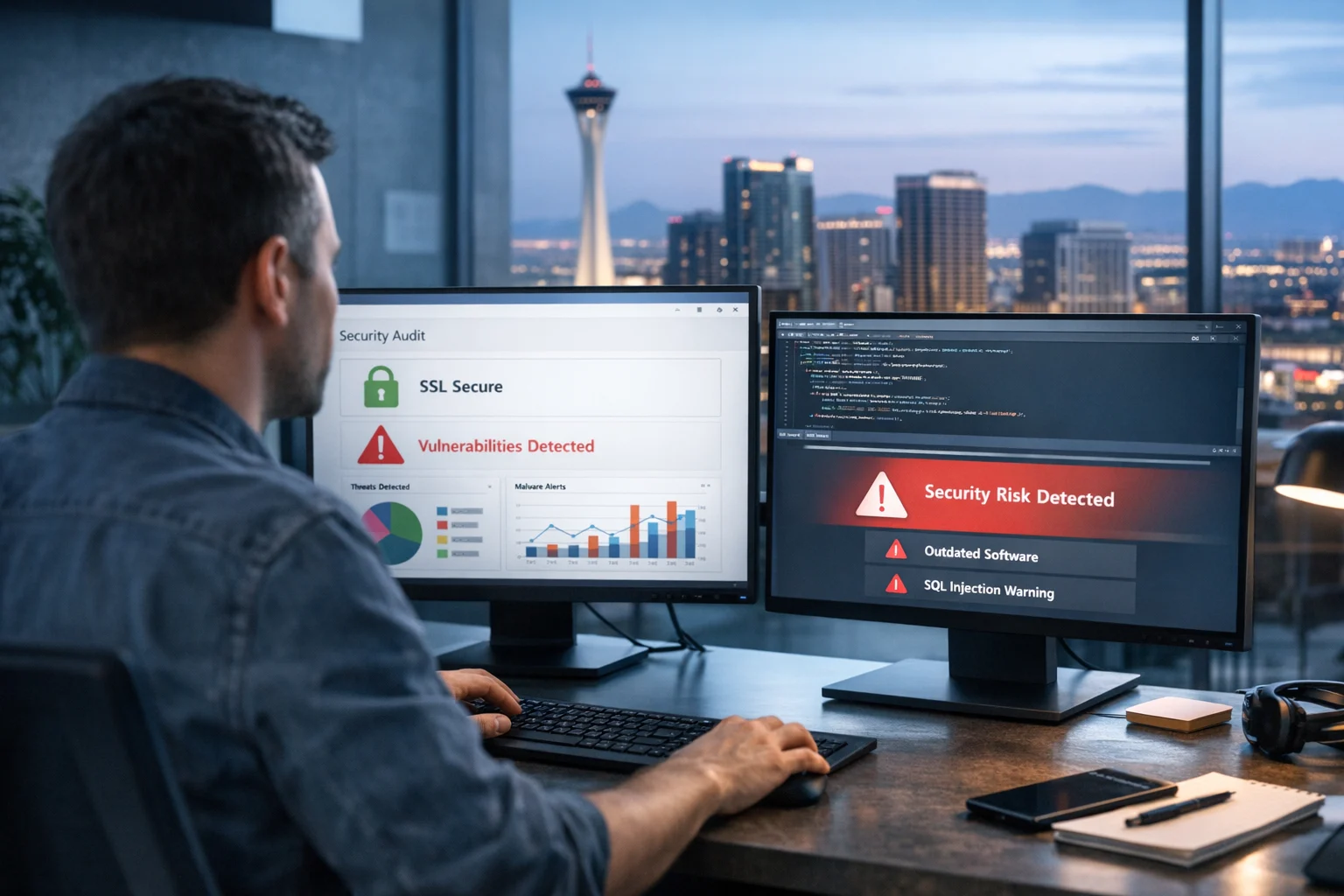
If you run a business website, security can’t be something you think about only after something goes wrong. A vulnerable site can cost you leads, rankings, ad traffic, customer trust, and in some cases access to your own data. We’ve seen it happen to local service companies, ecommerce brands, law firms, medical practices, and growing businesses that had their marketing dialed in but hadn’t taken a close look at business website security.
It matters even more when you’re investing in lead generation, summer campaigns, PPC, social media marketing, or Las Vegas SEO. The more visibility you build, the more attention your site gets from real customers and bad actors. A hacked site can erase months of work from a strong SEO company Las Vegas businesses rely on. It can also waste paid media budget fast if visitors land on broken pages, spam redirects, or malware warnings.
The good news is that you don’t need to be a full time security engineer to catch many common issues. You do need a process. Below is a practical way to check whether a website may be vulnerable, what you can verify yourself, and when it makes sense to bring in SiteLiftMedia for penetration testing, technical SEO support, website maintenance, server hardening, or a deeper cybersecurity services engagement.
Start with the obvious signs most businesses miss
Before you use a scanner or log into hosting, look at the website the way a visitor would. Open it in a browser on desktop and mobile. Check the homepage, forms, checkout if applicable, account login, blog, and contact pages.
Watch for these warning signs:
- Browser warnings about security certificates
- Pages loading over HTTP instead of HTTPS
- Mixed content warnings where scripts or images are insecure
- Random redirects to unrelated pages
- Injected spam content, hidden links, or strange popups
- Forms that behave inconsistently or fail without explanation
- Outdated branding, copyright dates, plugin notices, or exposed version numbers
- Admin login pages accessible from obvious URLs with no added protection
These aren’t just cosmetic problems. They often point to deeper issues like weak configuration, outdated software, or a site that isn’t being maintained. For businesses competing in web design Las Vegas, local SEO Las Vegas, and paid search, even minor security friction can hurt conversion rates and trust.
Check whether the site is using HTTPS correctly
One of the fastest checks is also one of the most important. Every page on the site should load securely over HTTPS. Not just the homepage. Not just the cart. Everything.
Here’s what to verify:
- The website automatically redirects HTTP to HTTPS
- The SSL certificate is valid and not expired
- The certificate matches the domain
- There are no mixed content errors in the browser console
- Secure pages do not load insecure scripts, fonts, images, or stylesheets
If the padlock is missing or the browser shows warnings, there’s a problem. It may be a simple certificate issue, but it can also expose users to session theft or data interception. It also sends the wrong trust signals. Search engines and users both notice.
For a business trying to improve technical SEO, secure delivery is foundational. Search performance and site security overlap more than many people realize.
Identify outdated software, themes, plugins, and frameworks
Most website compromises are not Hollywood style attacks. They’re usually simple and opportunistic. Attackers scan the web for outdated CMS installs, unpatched plugins, weak admin pages, and common server misconfigurations. If your site runs on WordPress, Shopify apps, a Laravel stack, Magento, custom code, or a CMS your old developer barely documented, you need to know what versions are in play.
Ask these questions:
- What CMS or framework powers the site?
- When was the core software last updated?
- Are themes and plugins current?
- Are there abandoned plugins or modules with no support?
- Are there staging tools, demo plugins, or disabled addons still installed?
- Who is responsible for patching and website maintenance?
If nobody can answer those quickly, that’s a risk by itself. A lot of business owners find out they have software running that nobody has touched in a year or more. We see this often on older sites that still rank locally, especially when a company focuses on local SEO Las Vegas but inherited a website built by a freelancer or former employee.
WordPress sites deserve special attention because they’re common and heavily targeted. If your site runs on WordPress, this guide on how WordPress websites get hacked and what businesses can do is worth reviewing alongside your update process.
Inspect forms, logins, and user input
Any place a visitor can enter data deserves scrutiny. That includes contact forms, search bars, login screens, quote requests, newsletter forms, checkout fields, and upload areas.
At a basic level, test whether the form behaves safely:
- Does it validate data properly?
- Can someone upload any file type?
- Does the form expose internal error messages?
- Does the login page allow unlimited attempts?
- Is multi factor authentication available for admins?
- Do password reset links expire properly?
Unsafe input handling can lead to SQL injection, cross site scripting, email header abuse, malicious file uploads, and user enumeration. Those are common web app vulnerabilities, and they often hide in plain sight because the front end looks fine. If you want a better sense of what professionals find during assessments, this article on common web app vulnerabilities found during assessments gives a useful breakdown.
Business owners don’t need to run exploit payloads themselves to understand the risk. If forms aren’t tested, filtered, logged, and kept up to date, they become a common point of entry.
Review user roles and admin access
One of the easiest ways to reduce website risk is tighter access control. It’s also one of the most overlooked. Over time, businesses add agencies, assistants, developers, interns, sales staff, and vendors. Accounts pile up. Permissions stay broad. Nobody wants to break anything, so nobody cleans it up.
Look at your access structure and ask:
- How many admin accounts exist?
- Are former employees or vendors still active?
- Do users have more access than they actually need?
- Are strong passwords enforced?
- Is multi factor authentication turned on for admin users?
- Are admin URLs protected by IP restrictions, SSO, or additional controls?
Weak admin hygiene creates real exposure. A compromised password on a stale vendor account can be enough to change site files, inject spam links, steal lead form data, or add rogue users. For businesses investing in backlink building services or content growth, that kind of compromise can quietly poison rankings before anyone notices.
Look for exposed files, backups, and directories
This is where a lot of businesses get surprised. Sensitive data is often exposed through convenience, not malice. Developers leave backup files, old site copies, database exports, zip archives, test environments, or config files accessible from the web root. Search engines may even index some of them if robots settings are poor.
Check for things like:
- Open directory listings
- Backup files such as .zip, .tar, .sql, or old site folders
- Staging or dev subdomains open to the public
- Publicly accessible configuration files
- Version control remnants
- Uploads directories that execute scripts
These issues are especially common on sites that went through multiple redesigns or custom web design phases without clean deployment practices. A company may launch a polished new front end while the old environment still sits online and fully exposed.
If your business depends on custom integrations or unique functionality, this is where a professional review from a web design Las Vegas and cybersecurity services team becomes valuable. Good design and safe deployment should work together.
Check basic security headers and cookie settings
Security headers won’t fix everything, but they do strengthen browser side protections and make common attacks harder. Many websites either don’t use them or use them inconsistently.
Common headers and settings to review include:
- Content Security Policy
- X-Frame-Options or frame-ancestors directives
- X-Content-Type-Options
- Referrer-Policy
- Strict-Transport-Security
- Secure, HttpOnly, and SameSite cookie attributes
You can check many of these with browser developer tools or online header inspection tools. If important protections are missing, that doesn’t guarantee the site is vulnerable, but it does suggest the security baseline may be weak.
We often find this area overlooked on lead generation sites built for speed, especially when businesses are racing to launch before a seasonal push in Las Vegas. Fast hosting and quick deployment are good goals, but configuration shortcuts usually show up later.
Evaluate server and hosting configuration
Even a well built website can be exposed by poor hosting practices. Shared hosting, neglected VPS environments, default configs, and loose permissions are common problems. This is where system administration and server hardening matter.
Things to review:
- What operating system and web server are in use?
- Are Apache or Nginx updated and hardened?
- Are unnecessary services running on the server?
- Are directory and file permissions set correctly?
- Are admin ports restricted?
- Is there a web application firewall in place?
- Are backups encrypted and stored securely?
- Are logs monitored for suspicious activity?
If your internal team or hosting provider can’t explain the current setup, it’s worth digging deeper. A lot of small and midsize businesses assume hosting equals security. It doesn’t. Hosting may keep the server online. It does not mean the environment is hardened for your application, your forms, your APIs, or your admin workflows.
For server level best practices, SiteLiftMedia also covers how to secure Apache and Nginx for business websites. That’s especially relevant if you manage your own VPS, cloud instance, or custom app stack.
Don’t ignore APIs and third party integrations
Modern business websites rarely run alone. They connect to CRMs, booking tools, payment platforms, inventory systems, chat widgets, analytics tools, lead routing software, and mobile apps. Every integration adds convenience and creates another place where data can leak.
Ask your team:
- Does the site expose public API endpoints?
- Are API keys stored securely?
- Are rate limits in place?
- Is sensitive data returned in API responses?
- Are unused integrations still active?
- Do third party scripts load on critical pages?
We’ve seen businesses discover that a helpful third party plugin was leaking more customer data than anyone intended. That becomes a real issue for privacy, compliance, and trust. If your website or app depends heavily on integrations, penetration testing should include API review, not just the visible pages.
For a deeper look at this area, see common RESTful API security mistakes that leak data. It’s one of the fastest ways to understand how modern sites get exposed even when the front end looks polished.
Use automated scanners, but don’t rely on them blindly
Automated scanning tools are useful for finding low hanging issues. They can flag missing headers, outdated software, exposed services, weak TLS settings, known CVEs, and common misconfigurations. They’re a solid starting point for an internal review or vendor discussion.
What they don’t do well is understand business logic, custom workflows, access control edge cases, chained vulnerabilities, or application specific risk. A scanner may tell you your server looks fine while missing the fact that users can access records they shouldn’t see, admin actions lack authorization checks, or a quote form can be abused to send spam.
That’s why mature security reviews combine automated checks with human testing. In practice, the strongest results come from teams that understand web development, hosting, SEO, analytics, and real business operations. That overlap matters. Security issues don’t happen in a vacuum. They affect rankings, paid campaigns, uptime, conversion paths, and brand perception.
Check for malware, SEO spam, and search result anomalies
Some compromises are obvious. Others are quiet. A site may still look normal to your team while serving spam pages to search crawlers, redirecting mobile users, or inserting hidden outbound links. If your rankings shift unexpectedly, branded search results look strange, or Search Console starts showing odd indexed pages, investigate quickly.
Review:
- Google indexed pages using site: searches
- Search Console security and manual action reports
- Unexpected pages, foreign language spam, or casino and pharma terms
- Core files and template changes
- New admin users or scheduled tasks
- Sudden performance drops or resource spikes
This is where marketing and security collide. A compromised site can tank local visibility right when competition is heating up. If you’re pushing hard on Las Vegas SEO, local SEO Las Vegas map visibility, or content campaigns, keep an eye on search signals that suggest the site has been tampered with.
Know when a vulnerability check needs professional help
There’s a point where a basic review should turn into a formal assessment. That point comes sooner if your site handles customer data, payments, protected records, memberships, booking systems, or custom apps. It also comes sooner when the website is central to sales and lead generation.
You should strongly consider professional help if:
- You haven’t had a security review in the past 12 months
- The site uses custom code or complex integrations
- You’ve noticed redirects, spam pages, or suspicious users
- The site supports multiple employees or user roles
- You rely heavily on SEO, PPC, or online lead generation
- Your hosting and admin setup are poorly documented
- You’re preparing for a redesign, migration, or bigger campaign push
At SiteLiftMedia, this usually starts with a practical assessment, not fear based selling. We look at the application, server posture, plugin and dependency risk, admin access, uptime concerns, and whether security issues are likely to affect search, performance, or conversions. For some businesses, that means targeted website maintenance and patching. For others, it means a broader penetration testing and remediation plan backed by ongoing system administration.
A practical checklist you can use this week
If you want a fast internal review, use this list:
- Confirm every page uses valid HTTPS
- Update the CMS, plugins, themes, and server software
- Audit all admin users and remove unnecessary access
- Turn on multi factor authentication for privileged accounts
- Test forms, uploads, login flows, and password resets
- Check for exposed backups, staging sites, and directory listings
- Review security headers and cookie settings
- Inspect APIs and third party integrations for unnecessary exposure
- Verify backups, logging, and malware monitoring are active
- Review Search Console and indexed pages for spam indicators
- Document who is responsible for patching and incident response
If that checklist feels bigger than expected, that’s normal. Most businesses don’t need to become security specialists. They need a reliable process and a team that can connect the dots between cybersecurity services, web design, technical SEO, hosting, and growth.
If you’re in Las Vegas or serving customers nationwide and want a real assessment of your website’s exposure, SiteLiftMedia can help you identify the weak points, fix the priorities first, and keep your site stable while your marketing keeps moving. Reach out when you’re ready for a security review that supports performance, rankings, and lead generation.
Photo Gallery













