Website accessibility has moved from a niche compliance concern to a real business issue. That shift is happening quickly, and not just for enterprise brands with legal teams. Small and midsize companies are feeling it too. If your website is hard to navigate, difficult to read, frustrating on mobile, or impossible to use with assistive technology, the impact shows up in places leadership actually cares about: lead volume, bounce rate, paid ad efficiency, search visibility, and customer trust.
At SiteLiftMedia, we’ve seen accessibility improvements do more than support users with specific needs. They usually make the entire website easier to use. Clearer navigation helps everyone. Better forms lift submission rates. Strong contrast and cleaner typography reduce friction on phones. Logical page structure helps both visitors and technical SEO. In real projects, accessibility rarely sits in one isolated bucket. It affects design, development, content, maintenance, hosting, and even security hardening.
That matters even more in competitive markets. Las Vegas businesses, in particular, are often competing for attention in crowded local search results and high pressure conversion environments. Whether someone is comparing service providers, booking on mobile, or looking for a trustworthy business after hours, the experience has to work right away. A website that feels polished, inclusive, and easy to use creates a real edge. That applies to brands investing in Las Vegas SEO, web design Las Vegas campaigns, local SEO Las Vegas strategies, paid media, or broader digital growth.
Accessibility is becoming a real business metric
For years, many companies treated accessibility as something to revisit later. Maybe during a redesign. Maybe after a complaint. Maybe after legal news made the rounds. That approach is no longer holding up. Accessibility is now tied directly to user expectations and brand credibility.
People browse on different devices, in different lighting conditions, with different physical and cognitive needs, and often under time pressure. They expect websites to load quickly, read clearly, and respond predictably. If a page breaks keyboard navigation, hides content behind weak contrast, or forces a clumsy form experience, users leave. Search engines and AI-driven search tools are also getting better at reading site quality signals that come from cleaner, more structured, accessible builds.
For business owners and marketing managers, that changes the conversation. Accessibility is not just about reducing risk. It’s about improving usability at every stage of the funnel. The strongest agencies and internal teams now treat it as part of conversion optimization, content strategy, and technical SEO.
Trend 1: Keyboard-friendly navigation is finally getting the attention it deserves
One of the most common issues we find in audits is navigation that looks good visually but breaks down when someone uses a keyboard instead of a mouse. Menus get trapped. Popups can’t be exited cleanly. Focus states disappear. Buttons look clickable but aren’t coded correctly. These problems create a frustrating experience fast.
Modern accessibility work is pushing sites toward simpler, more predictable user flows. That includes visible focus indicators, working skip links, logical tab order, and menus that behave correctly on both desktop and mobile. When those pieces are in place, the site feels smoother for everyone, not just visitors using assistive technology.
What strong navigation looks like today
- Primary menus that can be used entirely by keyboard
- Clear focus styling so users always know where they are
- Skip to content links that help bypass repetitive navigation
- Popup windows and mobile menus that open and close predictably
- Buttons and links that are clearly labeled and coded correctly
In high intent environments like home services, legal, medical, and professional services, smoother navigation often improves lead quality because visitors can find what they need without friction. If you’re spending money on PPC or social media marketing, this matters even more. There’s nothing worse than paying for traffic and then losing users on a broken menu or inaccessible call to action.
Trend 2: Semantic structure is shaping both usability and discoverability
Accessibility is pushing more brands to clean up the underlying structure of their sites. That means proper heading order, descriptive link text, form labels that actually exist, buttons that clearly announce their purpose, and page layouts that make sense to screen readers and browsers alike.
This is one area where accessibility and technical SEO overlap in a very practical way. Search engines understand content better when the structure is logical. So do AI search tools. So do users scanning a page quickly on mobile. A page with a clear hierarchy is easier to read, easier to navigate, and easier to index. That’s one reason accessibility work often pairs naturally with website refresh projects and broader SEO improvements.
We’ve also seen teams investing in custom web design unintentionally introduce structural problems through visually driven layouts. There’s nothing wrong with bold design, but the code underneath still needs to support usability. A smart custom web design process balances brand expression with clean, machine-readable structure.
If you’re already reviewing SEO industry trends businesses should watch this year, accessibility should be part of that roadmap. It’s not separate from SEO. It strengthens it.
Trend 3: Better contrast and more adaptable visuals are improving real-world usability
Color contrast used to get treated like a minor design detail. It isn’t. Strong contrast affects readability, task completion, and perceived professionalism. In bright outdoor conditions, low contrast text can become nearly useless. That matters in places like Las Vegas, where people are often browsing on their phones in harsh sunlight between meetings, events, or appointments.
The trend now is toward adaptable visual systems instead of rigid style choices. Designers are building with stronger contrast, clearer button states, more legible font sizing, and interface flexibility that supports different viewing conditions. That may include dark mode in some cases, but the goal isn’t trend chasing. The goal is clarity.
We’re seeing more brands connect accessibility work to modern visual updates, especially during redesigns. If that’s on your radar, our piece on dark mode and modern web design trends pairs well with this conversation because appearance and usability need to work together.
Some practical improvements we often recommend include:
- Higher contrast text on buttons, banners, and hero sections
- Links that are recognizable without relying on color alone
- Warning and success states that use both text and visual cues
- Font sizes and spacing that support easier reading on mobile
- Design systems that remain usable across lighting conditions
Trend 4: Forms are becoming a bigger accessibility priority because they directly affect revenue
Lead forms, quote requests, appointment bookings, ecommerce checkout, account creation, newsletter signups. These are the places where accessibility impacts revenue right away. If a user can’t understand what a field requires, can’t see the error state, or loses progress after one mistake, conversion rates suffer.
In accessibility reviews, form issues are usually near the top of the list. Placeholders are used instead of labels. Required fields aren’t clearly identified. Error messages are vague. The form jumps around on mobile. CAPTCHA blocks legitimate users. Even one or two of these issues can cause a measurable drop in performance.
Businesses investing in local SEO Las Vegas or national paid campaigns should pay close attention here. If your landing pages are generating traffic but your forms aren’t accessible, you’re paying to create friction. That’s especially painful in service categories with expensive clicks.
Form upgrades that consistently improve UX
- Persistent labels above fields, not placeholder-only instructions
- Clear error messages placed next to the exact problem field
- Logical grouping for address, payment, and contact details
- Support for keyboard navigation and mobile autofill
- Accessible alternatives to aggressive spam tools
We’ve seen form fixes create quick wins on campaigns where traffic quality was solid but completion rates were weak. It’s one of the most commercially useful accessibility improvements a business can make.
Trend 5: Video, animation, and motion controls are getting smarter
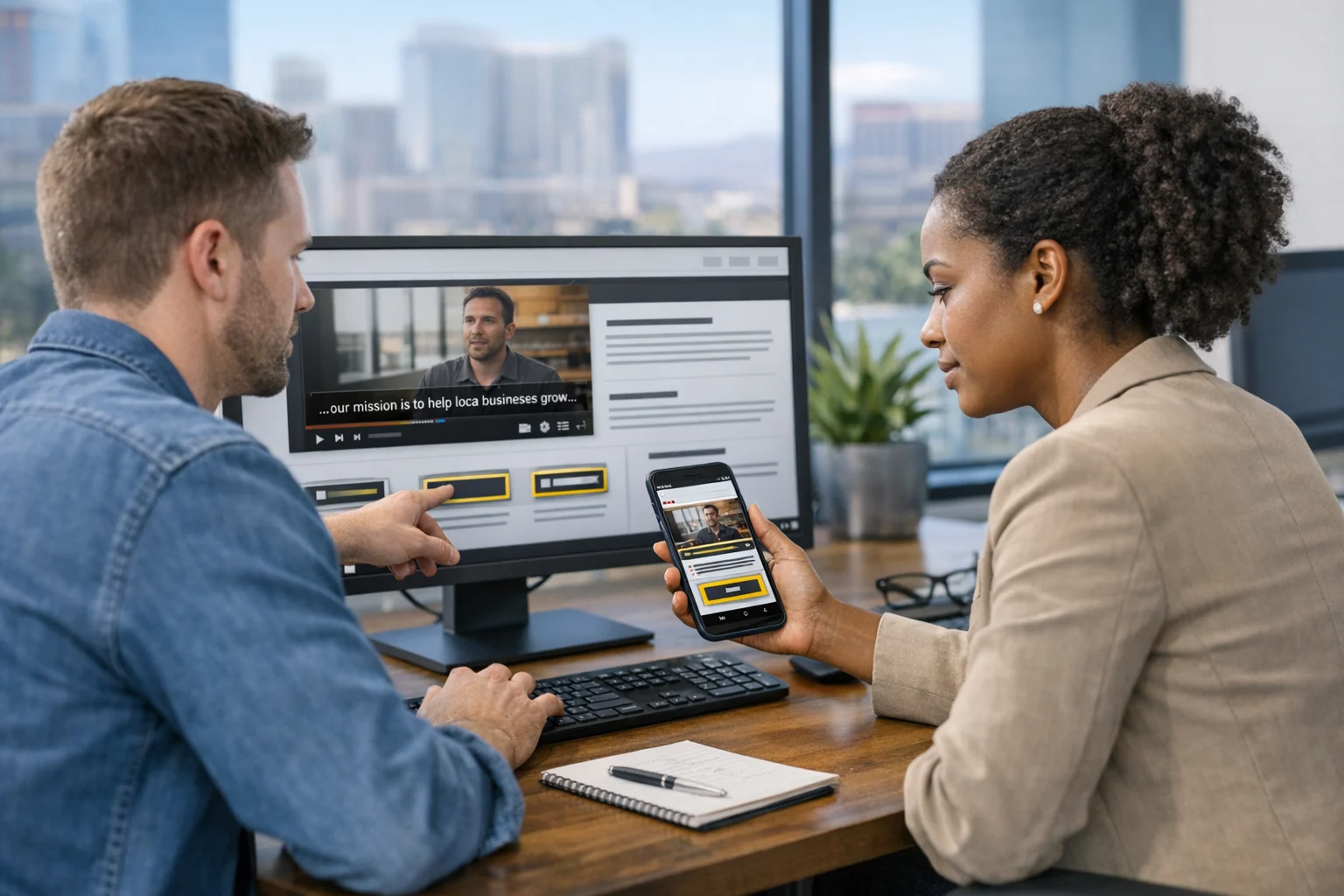
More brands are using video in headers, testimonials, product demos, and social media marketing campaigns. That’s not a problem on its own. The issue is when media choices create barriers. Autoplay audio, missing captions, blinking elements, and fast-moving sliders can make content difficult, or even impossible, to use.
Accessibility trends are pushing media in a more user-controlled direction. Videos need captions. Important audio should have transcripts. Motion should be reduced or optional where possible. Carousels should not race ahead of the visitor. These changes don’t weaken the experience. In most cases, they make it feel more polished and intentional.
This is especially relevant for Las Vegas brands in hospitality, entertainment, real estate, and lifestyle categories, where visual storytelling is a major part of marketing. The websites that perform best aren’t the ones with the most motion. They’re the ones where motion supports the message without overwhelming the user.
Trend 6: Mobile accessibility is now central to web design strategy
Years ago, teams sometimes treated mobile usability as a separate checklist. That line has basically disappeared. Mobile accessibility is accessibility. If a site fails on a phone, it fails for a huge share of users.
Touch target sizing, spacing between links, zoom behavior, sticky elements, font scaling, and orientation support all play a role here. We regularly see mobile pages where chat widgets block buttons, sticky headers consume too much space, or tiny text turns simple actions into frustrating tasks.
For businesses looking for web design Las Vegas support, this is one of the biggest opportunities. Las Vegas consumers and visitors rely heavily on mobile search. They’re comparing options quickly, often from maps, local results, or paid ads. If your mobile experience isn’t accessible, your competitors benefit.
Good mobile accessibility also supports better local search performance because users stay longer, engage more easily, and complete actions faster. That’s a meaningful advantage for companies working on Las Vegas SEO or trying to win more map and organic traffic in a crowded market.
Trend 7: AI tools can speed up accessibility work, but they don’t replace human review
There are more AI-assisted tools than ever for scanning accessibility issues. They can catch missing alt text, weak contrast, duplicate IDs, unlabeled fields, and some code-level problems. That’s useful. It speeds up audits and helps teams monitor changes over time.
Still, automation only gets you part of the way. Tools don’t fully understand whether link text is meaningful, whether the reading order makes sense, whether instructions are clear, or whether a form feels stressful in actual use. Human review is still essential. So is testing with real devices and, when possible, real users.
This is where experienced agency support matters. A practical accessibility process should combine automated scanning with manual QA, content review, design review, and development fixes. The best results come when accessibility is built into website maintenance instead of treated like a one-time cleanup.
Trend 8: Accessibility, technical SEO, and performance are working together more closely
Many of the fixes that improve accessibility also strengthen website performance and search readiness. Cleaner code, better content hierarchy, simpler navigation, clearer internal linking, meaningful image handling, and fewer bloated interface elements all contribute to a stronger site. That helps users. It also supports crawlability, indexing, and speed.
In our experience, accessibility work often reveals broader technical issues. Maybe the site is overloaded with third-party scripts. Maybe a visual overlay is masking poor code quality. Maybe page builders have created inconsistent heading structure. Maybe old templates are slowing down mobile performance. Once you start reviewing accessibility, you often uncover the root causes of user frustration.
That’s one reason strong technical SEO and UX teams tend to work well together. Accessibility is not a side project. It’s part of building a site that performs reliably.
If your growth plan includes organic visibility, our article on what changing search behavior means for Las Vegas SEO is worth a look. Search behavior is evolving, and websites that are easier to parse and easier to use are in a better position to compete.
Trend 9: Accessible experiences also need secure, stable infrastructure
User experience doesn’t stop at layout and content. Security and uptime are part of accessibility in the real world. A site that is compromised, unstable, or packed with broken third-party tools is not usable. For business websites, that means accessibility planning should connect with cybersecurity services, website maintenance, system administration, and infrastructure reviews.
We’ve worked on projects where accessibility issues were made worse by outdated plugins, server misconfigurations, and bloated scripts from marketing tools. In those cases, the fix wasn’t only visual. It required technical cleanup, plugin auditing, and sometimes server hardening to stabilize the environment.
This matters for decision makers because website quality is interconnected. If you’re investing in business website security, penetration testing, or server hardening, that work should support a smoother customer experience, not sit in a separate silo. Secure forms, accessible authentication flows, sensible bot protection, and stable hosting all contribute to trust and usability.
What businesses should prioritize during accessibility planning this year
Accessibility projects can feel overwhelming if you look at every guideline at once. The smarter approach is to start with the pages and functions that matter most to your business. For many organizations, that means addressing revenue pages first, then building accessibility into ongoing updates.
A practical order of operations
- Audit your top traffic and top conversion pages first
- Fix navigation, headings, and forms before cosmetic details
- Review mobile usability on real devices, not just simulators
- Check PDFs, menus, pricing sheets, and downloadable documents
- Review third-party widgets, chat tools, booking tools, and popups
- Build accessibility checks into your content publishing process
- Pair accessibility fixes with technical SEO and speed improvements
This approach works especially well for Q1 growth strategies, annual planning, and website refresh projects. It also helps when you’re combining multiple marketing investments. For example, backlink building services can drive more traffic, but that traffic still has to land on usable pages. Social media marketing can increase reach, but campaign traffic will underperform if landing pages are hard to navigate. Accessibility helps your other investments work harder.
Why this matters so much for Las Vegas businesses
Las Vegas is a fast-decision market. People compare quickly. They browse on the move. They often make choices from mobile search results, map listings, or branded landing pages with very little patience. That environment punishes friction. If your site is confusing, cluttered, or difficult to use, visitors don’t wait around to figure it out.
That’s why accessibility should matter to any business comparing agencies for Las Vegas SEO, searching for an SEO company Las Vegas, or evaluating web design Las Vegas options. It’s not just about standards. It’s about creating a site that converts under real-world conditions. Better structure, faster paths to action, stronger readability, and smoother mobile interaction make local marketing more effective.
We see this across industries in Nevada and beyond: medical groups, law firms, restaurants, hospitality brands, contractors, ecommerce stores, and multi-location service companies. Accessibility upgrades usually improve the exact things these businesses care about most, including lead quality, trust, and search performance.
How SiteLiftMedia approaches accessibility in live projects
At SiteLiftMedia, we don’t treat accessibility like a bolt-on checklist that gets handed off at the end. We see it as part of the full website system. That means design decisions, front-end development, technical SEO, content structure, hosting stability, website maintenance, and security are all considered together.
On new builds, accessibility works best when it’s planned early. On existing websites, we usually start with an audit and a priority list based on traffic, conversions, and risk. From there, we can address navigation, contrast, forms, mobile issues, content structure, and code quality in a way that supports both usability and growth.
If your team is preparing for a redesign, reviewing Q1 initiatives, or trying to get more value from Las Vegas SEO and paid traffic, an accessibility review is a smart place to start. If your site hasn’t been seriously evaluated in the last 12 months, contact SiteLiftMedia to pinpoint the fixes that will improve user experience and help your marketing perform better.
Photo Gallery